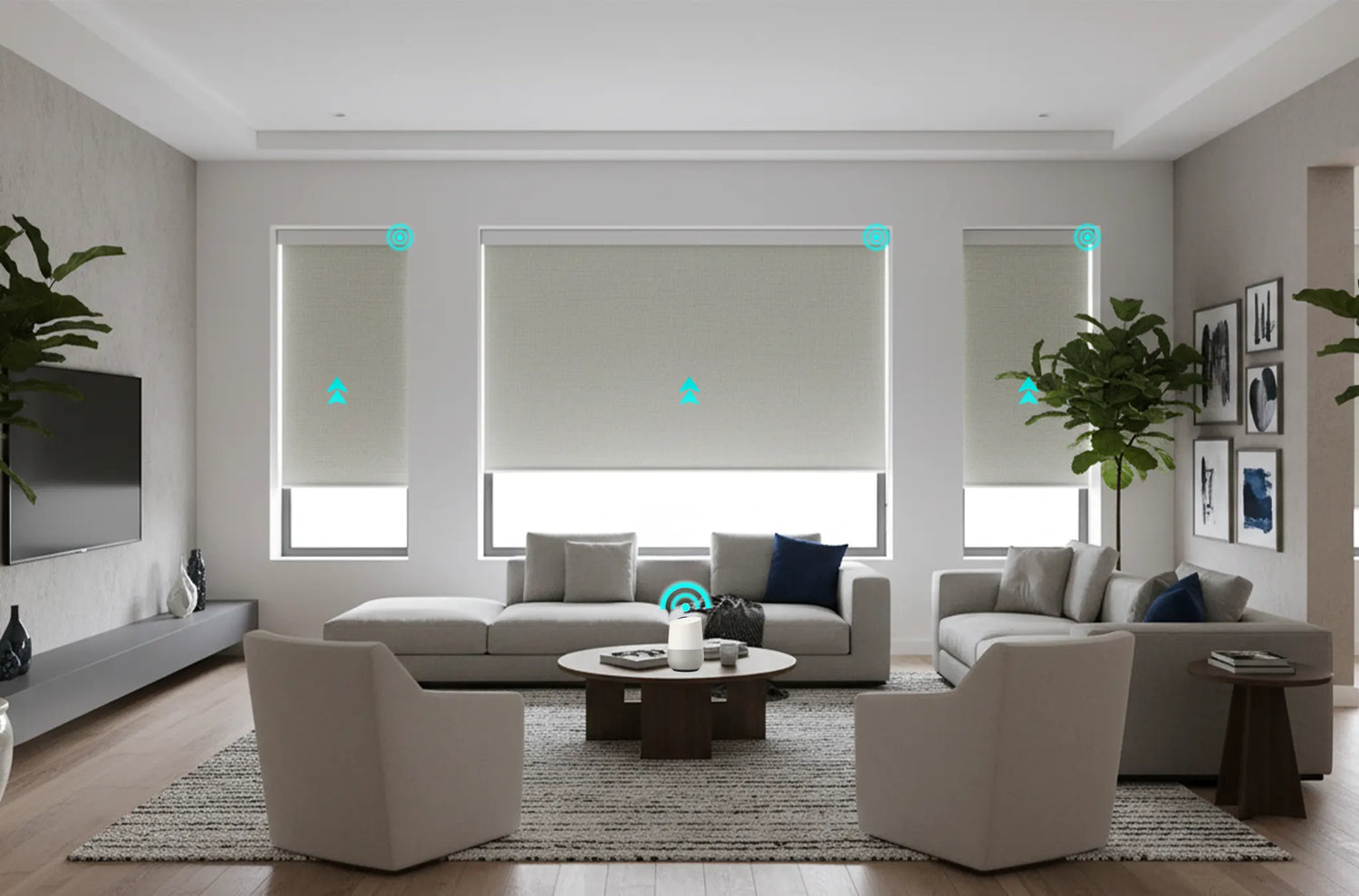
Google Home motorized roller shades can turn a daily chore into a dependable routine: open a bedroom shade at sunrise, lower west-facing windows before afternoon glare, and close every shade with one voice command. The experience depends less on flashy app features than on motor compatibility, stable network coverage, accurate shade names, and a commissioning process that tests every window individually.
This guide covers Matter, Wi-Fi, bridge-based systems, voice commands, routines, privacy safeguards, and realistic pricing. World Wide Shades can specify motorized roller shades that fit your window and your Google Home setup. Start with the World Wide Shades builder, then use /contact to confirm compatibility before ordering.
Choose the right Google Home connection
Google Home usually reaches a motorized shade in one of three ways: a native Google-compatible Wi-Fi motor, a Matter-enabled motor paired through a Google Nest hub, or a proprietary radio motor connected through a bridge. All three can deliver app and voice control, but the setup, range, and failure modes differ.
Matter is designed for multi-brand smart-home control and can simplify future platform changes. Wi-Fi is familiar and may avoid a separate bridge, but ten or more connected shades can add network traffic. A proprietary RF system can be very reliable when its bridge is centrally placed. World Wide Shades can map the best connection to your router, floor plan, and number of windows; request that review through /contact.
What you need before pairing
Prepare the shade motor, its remote or programming tool, a 2.4 GHz Wi-Fi network when required, the Google Home app, and a powered hub. Many battery motors should be fully charged before pairing; a low-voltage motor can enter setup but drop offline during the first firmware update. Keep the remote within 3–6 feet during initial commissioning.
Name each shade by room and position, such as “Bedroom Left” or “Kitchen Sink.” Avoid names that sound alike, such as “Office Shade One” and “Office Shade Won,” because voice recognition can select the wrong window. In a large home, use rooms and groups rather than putting every shade in one catch-all group. World Wide Shades can help plan zones while you compare fabric on /swatches.
Pairing steps that prevent most problems
Install brackets and confirm the shade moves freely before adding it to Google Home. A motor that binds against trim will look like a software fault and may trip obstruction protection. Leave access to the charging port or battery tube, especially on a shade above a stair landing.
If the system uses a bridge, connect the bridge to the same network as Google Home and update it before adding shades. If it uses Matter, use the provided setup code and select the intended home and room. Do not pair one motor to multiple apps until the first connection is tested; duplicate ownership can cause “not responding” messages.
Raise, lower, and stop each shade from its native control, then test it in Google Home. Confirm the open and closed directions and the percentage slider. A 50% command should place the shade near the midpoint, but fabric roll diameter means the visual height is not always exactly half the window.
Unplug the hub briefly or disable internet access only after the local test is complete. This separates radio range from cloud service behavior. If local control fails, move the bridge or add a compatible mesh node rather than repeatedly deleting and re-adding the shade. World Wide Shades can review a coverage plan through /contact.
Google Home voice commands that work
Use short, unique phrases and state the room. Examples include “Hey Google, open the bedroom shade,” “Hey Google, close the living room shades,” and “Hey Google, set the kitchen shade to 35 percent.” Percentage commands are useful for glare control; 20–30% open can soften direct sun while preserving a view, while 70–90% closed is a practical privacy position for many rooms.
Avoid vague requests such as “adjust the shades” when multiple rooms are in the same group. Create a group only when every shade should move together. The naming habits in smart home motorized shades setup and motorized shades with Alexa and Google Home also apply when you share control with other household members.
Build useful Google Home routines
Trigger bedroom shades at a chosen time or a sunrise offset of 15–30 minutes. Open only the windows that need daylight, leaving street-facing windows partially closed for privacy. A gradual schedule is more comfortable than opening every shade at exactly 7:00 a.m.
For south- and west-facing windows, lower solar shades between 2:00 and 4:00 p.m. in summer, then restore the open position after sunset. Start with 3% or 5% openness for a balanced view and glare reduction; compare the performance principles in best shades for south-facing windows.
Set blackout shades to 0–5% open, turn off room lights, and keep the command limited to the room. Side gaps can still leak light, so use a cassette or side channels when darkness matters. The blackout curtains versus blackout shades comparison explains why fabric alone does not eliminate perimeter light.
Close privacy shades when the home is unoccupied, but avoid relying on a single cloud trigger. A time window plus occupancy status is safer, and a physical remote should remain available. World Wide Shades can specify battery or hardwired motors for the routine load; use /builder to compare.
Troubleshoot “shade not responding”
Start with the native remote or app. If that works, the shade motor is likely healthy and the issue is the Google Home link, hub, or room assignment. If the native control fails too, check battery level, obstruction, limit settings, and radio range. A shade that stops at the wrong position may need a limit adjustment rather than a new integration; see motorized shade won’t stop.
For Wi-Fi systems, confirm the router has not changed its network name or 2.4 GHz settings. For Matter systems, check that the Google hub is online and the setup code has not already been claimed by another platform. For bridge systems, restart the bridge once and wait 2–3 minutes before testing. Call (844) 674-2716 if a custom shade is repeatedly offline and World Wide Shades can help isolate hardware from software.
Privacy, safety, and battery planning
Voice assistants can open a shade in earshot of anyone who knows the device name, so do not use commands that expose a bedroom or bathroom window without room-specific wording. Keep motorized shades away from water and keep charging cables secured. Battery life varies, but 6–12 months is a reasonable planning range for many residential shades with two cycles per day; wide, heavy, or blackout shades may need charging more often.
For homes with children or pets, cordless motorization removes a continuous loop and supports scheduled privacy. Review child-safe window treatments and discuss mounting clearance with World Wide Shades before purchase.
What Google Home motorized shades cost
A battery motorized custom shade commonly falls around $350–$1,200 per window. A bridge can add $100–$300, while a hardwired installation may add electrician labor of roughly $150–$500 per room depending on access. Fabric, width, cassette, side channels, and control platform are the main variables—not the Google Home app itself.
Use how much do custom roller shades cost for a fuller breakdown, then request a World Wide Shades quote through /contact. The right specification can be cheaper over time than replacing incompatible motors across an entire home.
Frequently Asked Questions
Yes, when the motor is natively compatible, Matter-enabled through a supported Google hub, or connected through a compatible bridge. Pair one shade first, confirm local and voice control, then add groups and routines. World Wide Shades can verify the control path before fabrication.
Many compatible systems accept percentage commands such as “set the living room shade to 40 percent.” The actual visual height may vary slightly because the roll diameter changes as fabric winds. Use a favorite position for repeatable glare or privacy scenes.
The hub, bridge, Wi-Fi, Matter fabric, or motor may be offline. Test the native remote first, then check power, network, and room assignment. If the shade itself stops at the wrong point, troubleshoot travel limits before deleting the Google Home device.
A planning range of 6–12 months is common for many residential shades used about twice daily. Large shades, heavy blackout fabrics, frequent routines, and cold conditions can reduce that interval. Make the charging port accessible when specifying the installation.
Yes. Create a group only when every shade should move together, such as “Downstairs Shades.” Keep bedrooms and bathrooms separate so a broad voice command does not create a privacy mistake. World Wide Shades can map the groups during a whole-home order.
A good Google Home shade setup starts with a correctly sized, freely moving shade and ends with clear names and tested routines. World Wide Shades can coordinate fabric, motor, hub compatibility, and installation through /builder or /contact, with help at (844) 674-2716.


