When comparing Hunter Douglas PowerView vs Somfy shades, start with what you want the shades to do in a room you use every day. Maybe you want the bedroom shades to open together from a bedside remote. Maybe you want to adjust the living room shades from your phone while you are away. Those two requests sound similar, but they lead to different questions about remotes, gateways, and the equipment you already own.
Settle the controls before finalizing the shade order, but judge the fabric and the room layout on their own merits. A setup that works beautifully for a bank of living room windows may be more than you need for a private study. If you are planning new custom shades rather than expanding an existing PowerView system, explore motorized shades from World Wide Shades as a separate option.
What PowerView and Somfy Control
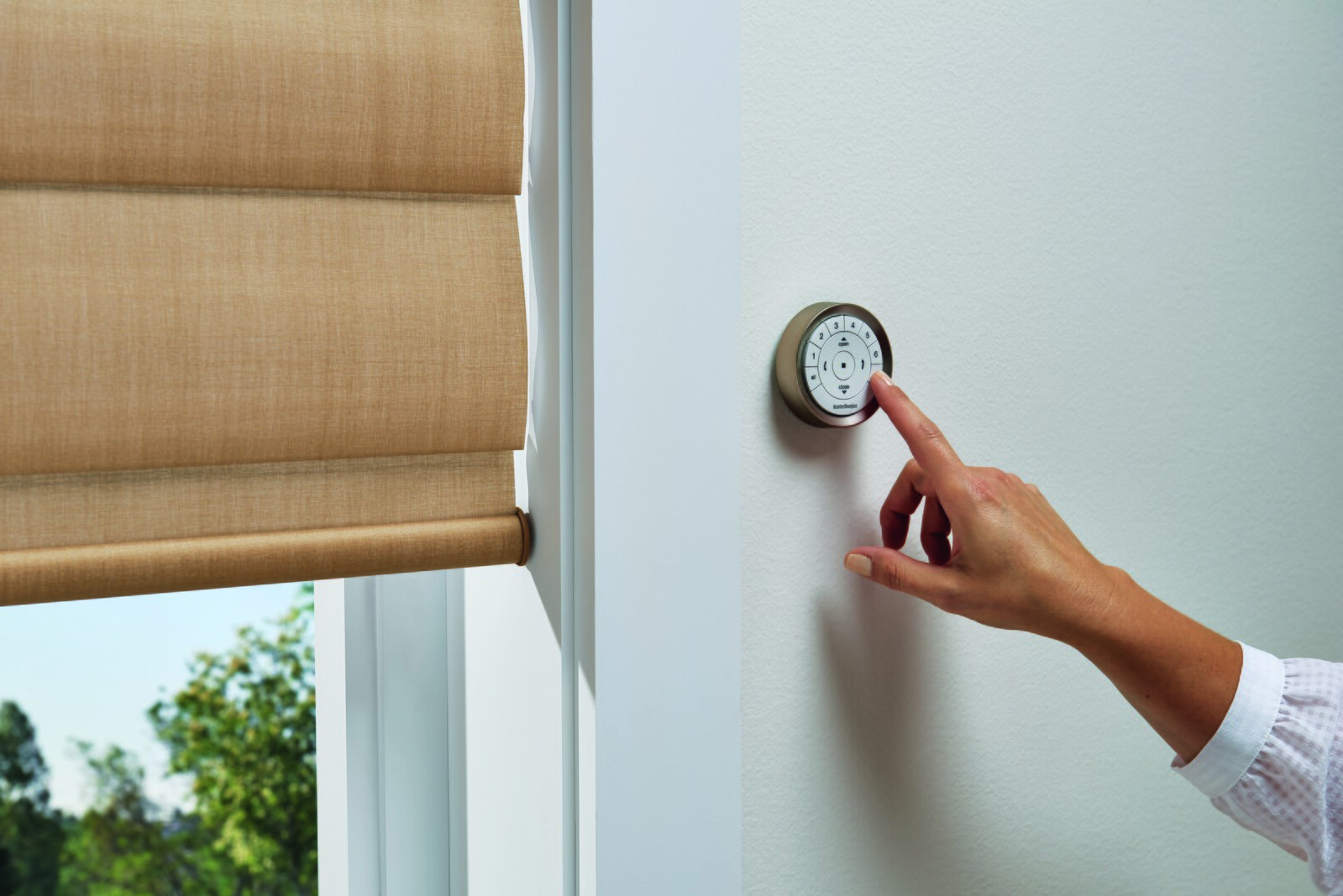
Hunter Douglas describes a PowerView remote that communicates with PowerView shades over Bluetooth Low Energy, operates up to six groups of window treatments, and stores two favorite positions per shade (Hunter Douglas PowerView accessories guide). A group might be the three shades over a sofa, while the adjacent dining room windows get their own group. Hunter Douglas identifies its PowerView Gateway as the accessory that provides RemoteConnect for adjusting compatible shades while away from home (Hunter Douglas PowerView accessories guide).
Somfy describes motorized shade control by remote, tablet, or smartphone, and its TaHoma app offers scenes and schedules (Somfy motorized blinds and shades). Somfy lists the TaHoma switch capacity as up to 60 Somfy Zigbee products and 40 channels of Radio Technology Somfy, or RTS, motorized products (Somfy motorized blinds and shades). Those numbers describe the switch, not whether a particular motor can use a particular remote.
Six groups on a handheld remote and 40 RTS channels on a switch are not equivalent measures. Instead of comparing the larger number, write down which windows should move together and which you want to adjust on their own. If two windows face different directions, for example, one button for the whole room may be less useful than independent control in the afternoon.
Reusing Controls You Already Own
If you already have PowerView shades, confirm the generation of the shades and controls you intend to keep. Hunter Douglas says its Gen 3 remotes and Gateways are not compatible with earlier versions of PowerView Automation (Hunter Douglas PowerView accessories guide). In a home that has been renovated in phases, it is worth checking the equipment room by room rather than assuming that everything bearing the PowerView name belongs to one generation.
With Somfy, note the exact remote or controller model and, where known, the protocol of the existing motors. Somfy lists examples of both Zigbee and RTS controls, but its overview is not a complete compatibility list (Somfy motorized blinds and shades). If a manufacturer label is accessible, record what it says. An order confirmation or installation record can also help identify hardware where the shade itself is difficult to reach.
World Wide Shades uses Automate motors by default. If you already have a Somfy remote, you may choose a Somfy motor paired to that remote; confirm the remote model before finalizing your selection. That option does not mean World Wide Shades offers PowerView or that every Somfy remote, switch, or integration is interchangeable. Contact World Wide Shades about your existing Somfy remote or call (844) 674-2716 before ordering if reusing it matters to your project.
A remote is practical for a guest bedroom or family room where people should be able to move the shades without an app. For a second home, you might want that same simple control for guests while reserving scheduled operation for the rooms that get strong afternoon sun. The guide to motorized shades for Hamptons second homes is a useful starting point for thinking through those different needs.
For a larger property, decide whether you need a house-wide scene or simply reliable controls in each room. A single evening scene might make sense for connected entertaining spaces, while bedrooms may need individual routines. If you are working with a designer across several rooms, see the guide to custom shades for Greenwich estate homes for a room-by-room planning perspective.
When a Bridge or Hub Is Worth Adding
Separate three things that are easy to confuse: pressing a button in the room, having shades move on a schedule, and changing their position from outside the home. If all you want is to lower the shades from the sofa, start by checking which remote works with the motor. If you want them to close at a set time or respond from an app, confirm the hardware needed for that specific feature before placing the order. A phone app is not, by itself, a guarantee of access when you are away.
For World Wide Shades, a remote is required, and the Push 5 controls up to five shades. The Automate Pulse 2 adds app control, voice control, and schedules for Automate motors only. Do not plan to use the Pulse 2 for a World Wide Shades order configured with a Somfy motor. If your goal is to add a system to an existing smart home, read the smart-home motorized shade setup guide and confirm the specific motor and controller before you buy.
Power is part of the decision, too. World Wide Shades motorized shades use rechargeable batteries and do not require wiring. A charger is not included; plan on using USB-C or adding a charger to your order. For a high or hard-to-reach window, consider how you will access the charging connection once the shade is installed. Review the World Wide Shades motorized options before settling on the control and charging setup.
Choose Fabric and Order the Shades as a Project
The motor governs how a shade moves, not the quality of the light you get when it is down. A street-facing room may call for more privacy, while a room overlooking a garden may favor a fabric that preserves some of the view. Compare how you want each room to feel during the day and after dark. For a room with strong daylight, the comparison of white vs. charcoal solar shade fabric can help you decide what to prioritize. Then browse the World Wide Shades fabric collection with those goals in mind.
Where the architecture varies, decide whether consistency means identical fabric, aligned shade positions, or simply the same appearance from the street. A set of tall front windows and a smaller side window may look better in matching fabric even if the shades move on separate commands. The guide to custom roller shades for Brooklyn brownstones offers another way to think about keeping a consistent look across different openings.
Before comparing proposals, ask each seller to identify the shade style, fabric, motor, remote, and any bridge or charger needed for the setup you described. Also clarify the buying process and who will handle installation. World Wide Shades offers an online builder for custom, handmade shades. Start a configuration in the World Wide Shades builder to compare your fabric and control choices together.
Frequently Asked Questions
No. PowerView is Hunter Douglas's shade automation system, while Somfy offers motors and controls for powered window coverings (Hunter Douglas PowerView accessories guide, Somfy motorized blinds and shades). Compare complete setups rather than treating one name as a substitute for the other. The useful question is whether the motor, remote, and any hub on the order deliver the controls you want.
Hunter Douglas says PowerView Gen 3 remotes and Gateways are not compatible with previous PowerView versions (Hunter Douglas PowerView accessories guide). Confirm the generation of your installed shades before ordering replacement hardware or planning to control an addition from the same remote.
World Wide Shades can pair a Somfy motor to an existing Somfy remote when you choose that motor option. Confirm the model before placing the order rather than assuming it will pair with any Somfy motor. If you have no remote to reuse, Automate is the default World Wide Shades motor option.
Start by checking the requirements of the exact motor and remote you are buying. For World Wide Shades Automate motors, the required remote provides handheld control; the optional Automate Pulse 2 is for adding app control, voice control, and schedules. If you are comparing other setups, ask the seller to specify which features require additional hardware.
Choose fabric for the room's light and privacy needs, then confirm that the shade styles and motors you select work with the same controls. Think about grouping separately from matching fabric. You might prefer identical-looking shades across a row of windows, but still want to lower one on its own to control glare at a desk.
Ready to Order?
If your priority is keeping existing controls, confirm the motor and remote pairing first. If you are starting fresh, decide which rooms need a simple remote and which would benefit from a schedule.
- Measure the openings: For an inside mount, measure width at the top, middle, and bottom and use the narrowest. Measure height at the left, center, and right and use the tallest. Enter the exact opening dimensions; the factory makes the deductions, so do not subtract.
- Choose fabric: Browse fabrics with each room's light and privacy needs in mind.
- Choose control: Select the motor and required remote, and confirm any hub or charging accessories. For help with your configuration, contact World Wide Shades or call (844) 674-2716.
- Review and order: See live pricing in the builder, review the configuration for each window, and place your order when the shades and controls match the plan.