What HomeKit-compatible roller shades can do
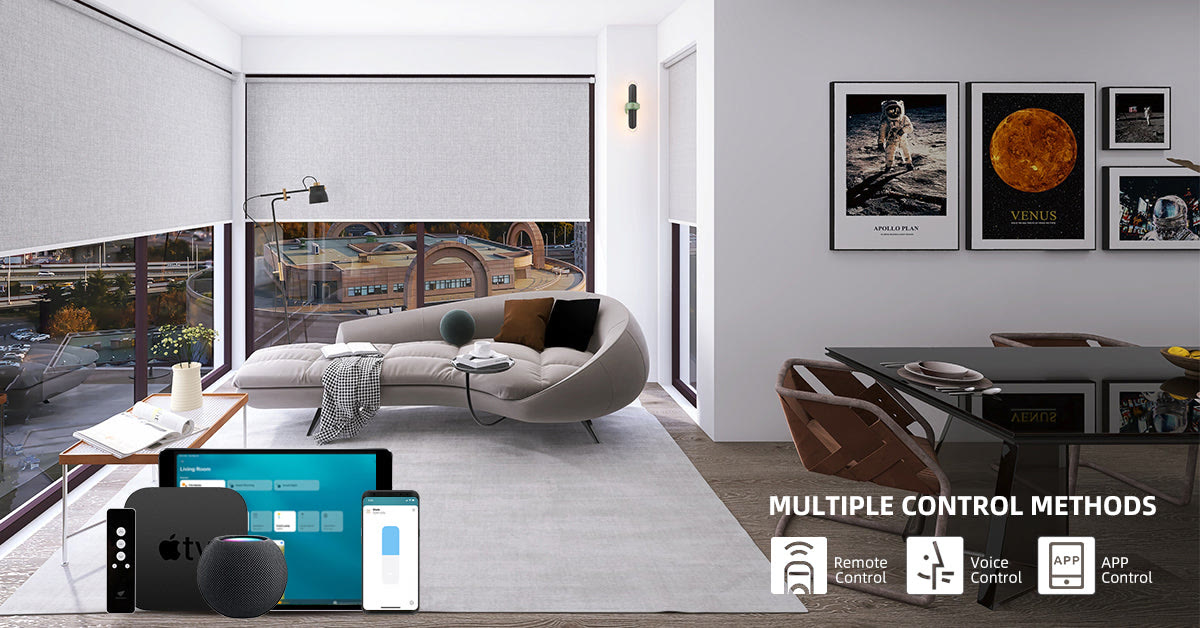
Apple Home can make compatible roller shades part of the same control system as lights, thermostats, locks, and sensors. You can tap a shade in the Home app, ask Siri to move it, or create an automation that responds to time, presence, sunrise, or another device. The shade still needs a compatible motor and connection method; HomeKit is a control platform, not a universal retrofit for every roller shade.
The best setup is predictable and quiet. A shade should open to a useful percentage, stop without rubbing, and remain controllable when the internet is unavailable. World Wide Shades can help match the fabric, tube, motor, and mounting method before you start building scenes.
CTA: Start a HomeKit-ready roller shade configuration with the World Wide Shades Builder.
Compatibility checklist before buying
Write down the exact motor brand, model, communication standard, and bridge requirement for every shade. Look for current “Works with Apple Home” or HomeKit/Matter information from the manufacturer. For an overview of Apple-compatible smart blinds, see Apple Home and the product maker’s current setup guide. Do not rely on a marketplace title that only says “works with app.”
A shade may use Bluetooth, Thread, Wi-Fi, Zigbee, a proprietary radio system, or a bridge. Those paths have different range, power, and setup behavior. Native support, a certified bridge, and an unofficial workaround are not equivalent. World Wide Shades can help you identify the practical difference before you order five or ten windows at once.
Choose the shade fabric separately from the smart feature. A 5% solar screen can reduce glare while preserving a view; a blackout fabric is better for sleep or a media room. Use roller shade fabric openness explained and light-filtering shades guide to avoid making the motor decision do all the work.
CTA: Ask World Wide Shades to confirm HomeKit compatibility and fabric performance for your room.
Plan the physical installation first
HomeKit cannot correct an incorrectly measured shade. Measure width at the top, middle, and bottom; measure height at the left and right; record depth, trim, handles, and screen interference. A difference greater than about 1/8 inch can affect an inside mount. For an out-of-square opening, an outside mount may create a cleaner and more reliable result. See how to measure windows for roller shades and inside mount versus outside mount shades.
Install the headrail level and leave enough space for the roll to move. Check that a door handle will not hit the hembar and that a nearby wall will not block the shade at its lowest position. On a French door or slider, use the guidance in roller shades for French doors.
Place the bridge or hub in an open, central location near power. Dense masonry, metal cabinets, and appliances can weaken radio signals. If a shade is on another floor, test connectivity before completing the whole order. A wired Ethernet connection may be preferable for a stationary hub when the product supports it.
CTA: Get installation and battery-access advice from World Wide Shades through the Builder, especially for high windows.
Step-by-step Home app setup
Install one shade, make sure it moves smoothly by local control, and confirm that the fabric rolls straight. Pairing a physically faulty shade to HomeKit only hides the real issue under app troubleshooting. If the shade rubs or the motor strains, stop and correct the installation.
Follow the current motor manufacturer’s instructions to add the bridge or shade accessory. Scan the HomeKit code when prompted and save the setup code securely. If the system uses Matter, follow the manufacturer’s current commissioning steps and note whether a Thread border router is required.
Use “Primary Bedroom East Shade” instead of “Shade 1.” A voice assistant can interpret simple names more reliably, and room assignments make scenes easier to review. Use orientation when sunlight is relevant.
Test open, closed, and partial positions such as “set living room shade to 40 percent.” Confirm that the percentage is a useful physical position, not merely a number in the app. If a voice command is ambiguous, shorten the name and remove duplicate accessory names.
Invite household members only after one person confirms the system works. Keep the physical remote, wall switch, or local app available. A smart home is more usable when a guest can operate a shade without learning the entire automation.
World Wide Shades can coordinate shade names and fabric zones so the digital setup mirrors the way your household uses each room.
Five HomeKit scenes worth keeping
Open bedroom shades to 30% at sunrise, then move to 70% after the wake-up time. In a south-facing room, a solar fabric may be more comfortable than a fully open blackout shade. The best shades for south-facing windows guide covers glare and heat considerations.
Set the office shade to 25% when a workday begins, then adjust it when the camera or sun angle changes. Combining a partial shade with a front light often looks better than closing the shade completely. For more ideas, see home-office shades for glare and video calls.
When the household arrives or the sun drops below the horizon, close street-facing shades to 80% or 100%. Use a privacy fabric that lets daylight in if the room is occupied before dark.
Close blackout shades, dim lights, and lower the thermostat only if the household actually wants that behavior. Side channels or an outside mount can reduce edge light; compare blackout shades versus blackout curtains.
Close selected shades for privacy and UV protection, but avoid a blanket command that leaves pets, plants, or heat-sensitive rooms in the wrong condition. A 15-minute stagger between rooms can make the automation feel less mechanical.
CTA: Share your priority scene with World Wide Shades and we can recommend opacity, openness, and control options that support it.
Battery, privacy, and reliability basics
Battery life depends on the shade’s width, weight, travel, temperature, and number of movements. A small light-filtering shade that moves twice daily has a different service pattern from a wide blackout shade that moves ten times. For windows above a staircase or tall foyer, consider rechargeable or hardwired power so maintenance does not require an unsafe ladder. Compare battery versus hardwired motorized shades.
HomeKit automations may rely on a home hub, Thread border router, bridge, or local network. Update the hub and motor firmware as recommended, and use a strong unique password for the home network. Avoid putting a camera or microphone in a bedroom simply to automate a shade; time, light, and presence sensors may be enough.
If the shade is offline, test local control first. If local control works, check the bridge, network, or home hub. If the motor does not respond locally, check power, battery, pairing, and physical drag. Do not factory-reset every accessory while troubleshooting one room.
World Wide Shades can help you specify a system that has an understandable manual fallback, not just a polished app.
CTA: Need a reliable smart-home plan? Call World Wide Shades at (844) 674-2716 or request fabric swatches.
HomeKit versus other smart shade paths
HomeKit is a strong choice when your household already uses Apple devices and wants simple room-based control. Alexa, Google Home, SmartThings, Lutron, and open-source systems can also be appropriate, but the right answer depends on the motor protocol, bridge, voice assistant, and desired automations. Read motorized shades with Alexa and Google Home and smart home motorized shade setup before mixing systems.
Avoid choosing a shade solely because the app has the most features. A quiet motor, straight tracking, accurate measurement, accessible battery, and fabric that solves glare or privacy will matter every day. World Wide Shades can keep the control layer aligned with the physical window rather than treating smart integration as a substitute for good shade design.
FAQ: HomeKit roller shades
No. Compatibility depends on the motor, bridge, firmware, and current Apple Home or Matter support. Confirm the exact model and integration path before buying. “Works with an app” does not necessarily mean “works with Apple Home.”
Some systems retain local control through the remote, bridge, or home hub, while remote access and some automations may require network services. Ask the manufacturer what remains available offline and keep a local control method.
There is no universal percentage because fabric transparency, window orientation, and interior lighting change the result. A light-filtering shade might provide privacy at 60% closed, while a solar screen may need to be fully lowered at night. Test 25%, 50%, 75%, and 100% positions.
They solve different problems. Thread can offer low-power mesh connectivity, while Wi-Fi may be familiar and widely supported. The motor’s power design, hub requirements, range, and manufacturer support matter more than the label alone.
Some retrofit motors exist, but compatibility depends on tube size, fabric load, clearance, and the retrofit product’s integration. A complete custom shade may be more reliable when the existing tube is bent, the fabric is worn, or the brackets are outdated.
CTA: Build your Apple Home shade plan with World Wide Shades or call (844) 674-2716 for help choosing a compatible configuration.