A blinking LED on a motorized shade remote is a status message, not a universal error code. Depending on the remote, the light may show a button press, selected channel, low remote battery, pairing mode, or a command that the motor did not confirm. The meaning depends on blink color, blink count, timing, and whether the shade moves.
World Wide Shades can help identify the control system before you reset it. Configure motorized shades with World Wide Shades, order matching swatches, or contact World Wide Shades with the remote model and a short video of the LED. Call (844) 674-2716 if the remote is part of a multi-room installation or a shade is stuck above a door or stairwell.
Start with the pattern, not a guess
Write down four details: LED color, number of blinks, whether the light repeats, and what happens to the shade. A single flash after a button press can be normal transmission feedback. A slow red pulse may indicate a low battery on some remotes. A rapid sequence may mean pairing mode or a failed command. These patterns are not standardized across brands, so a color chart from another manufacturer can mislead you.
Record whether the shade moves, jogs, beeps, stops halfway, or remains silent. Also note whether the light blinks when you press every button or only one channel. The multi-channel remote programming guide explains why a selected channel can change the result. Send the details to World Wide Shades for a model-specific next step.
Common reasons a remote LED blinks
Many remotes flash briefly when they send an up, stop, down, or percentage command. If the shade responds correctly and the LED stops after one short flash, no repair may be needed. Test a single shade on its individual channel before testing a group.
A group command can create a longer apparent blink because the remote sends a different command or waits for a confirmation. Keep the remote pointed and within the normal operating range during testing. If the shades move as expected, document the pattern so you can recognize a normal status signal later.
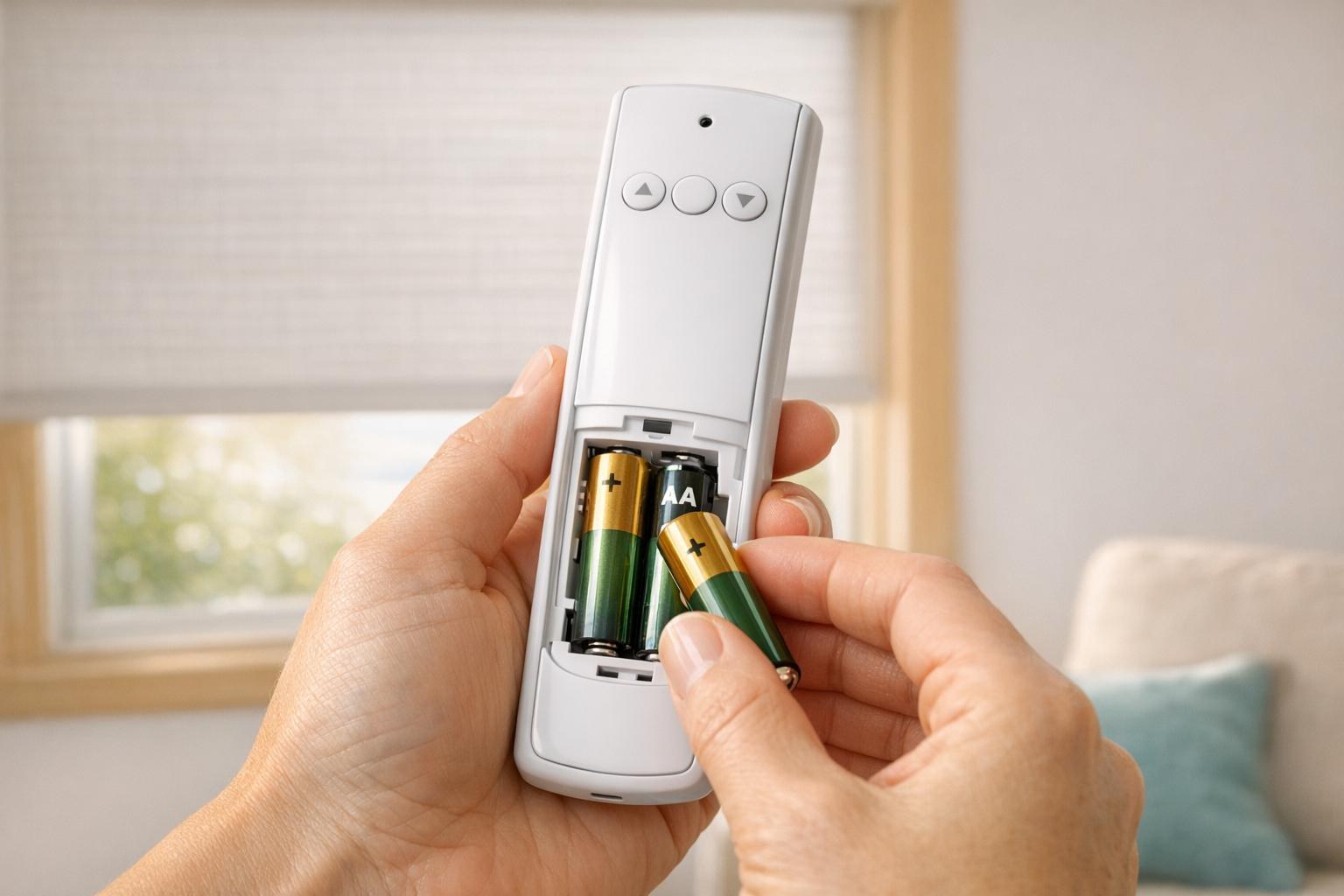
A weak coin cell or rechargeable remote battery can produce a dim, irregular, or repeated blink while reducing radio range. Replace the battery with the specified type and orientation. Do not mix old and new batteries, and do not use a charger on a cell that is not designed to be rechargeable.
After replacement, press stop once, select the shade channel, and test up and down. If the LED is normal but the shade still fails, the problem may be motor power, pairing, or an obstruction. World Wide Shades can help separate a remote battery issue from a motor battery issue. Contact World Wide Shades for control support.
A multi-channel remote may blink normally on an empty channel. Select the next channel and test an individual shade. If every known channel blinks but no shade responds, confirm the motor has power and that the remote is compatible. Do not pair a new motor until you have recorded the existing channel assignments.
For a home with five or more shades, label channels by room and opening. Names such as “Kitchen South” are safer than “Channel 3” alone. World Wide Shades can plan a readable control map. Build a multi-channel project with World Wide Shades.
Some remotes blink rapidly while they wait for a motor to enter learn mode. Pairing windows may last only a few seconds. Use the documented sequence, keep one motor isolated, and look for the motor’s confirmation jog. If the motor does not confirm, exit learn mode rather than holding buttons repeatedly.
A factory reset can erase the remote, limits, groups, and smart-home link. It is rarely the first response to an LED that blinks. The smart-home motorized shade setup guide covers the safer order: restore local operation, then reconnect an app or hub.
The remote may be healthy while the shade’s rechargeable battery is depleted. A motor can acknowledge a command with a small jog and then stop when the load increases. Charge the shade with its approved adapter, keep the charger port dry, and allow the recommended charge time. A hardwired shade may need an electrician to check a transformer or connection.
A battery’s usable interval depends on shade width, fabric weight, temperature, and daily cycles. A 96-inch blackout shade can demand more energy than a 30-inch solar screen. World Wide Shades can help plan charging access and replacement timing. Ask World Wide Shades about power options.
A safe troubleshooting sequence
- Photograph or count the LED pattern before changing anything.
- Replace or recharge the remote battery using the approved method.
- Select one known individual channel and press stop once.
- Confirm the shade has power and is not touching an obstruction.
- Test from 3 to 6 feet away, then from the normal room position.
- Test a second remote or local control only if the system supports it.
- Stop if the motor strains, overheats, or the fabric rubs.
Do not press every button to “clear” the LED. Random commands can change the selected channel, direction, limits, or pairing state. Keep children and pets away from moving shades, and store the remote where it cannot be used accidentally. Review child-safe window treatment guidance.
What different symptom combinations suggest
This is most likely a normal transmission or channel indicator. Confirm the manual’s meaning and observe whether the blink changes when you select another channel. No reset is needed if all functions work.
Check the remote battery, selected channel, motor battery, power supply, and pairing. A metal cassette or concrete wall can reduce range, but a completely silent motor often points to power or pairing. Test locally if the system has a wall button or approved manual control.
A jog can confirm learn mode, group selection, or a low-power response. Stop sending commands and identify the documented confirmation pattern. If the shade then stops halfway, read motorized shade stops halfway troubleshooting before adjusting limits.
A stuck button, damaged membrane, pairing mode, or low battery can keep an LED active. Remove and reinstall the remote battery only if the manufacturer permits it; otherwise stop using the remote and request support. Keep the remote dry and do not open a sealed control.
Pairing a replacement remote
Before ordering, photograph the remote front, back label, battery compartment, and any channel display. Record the motor model and whether the shade is in a group. A visually similar remote may use a different radio protocol. World Wide Shades can verify compatibility and preserve the existing channel plan. Contact World Wide Shades before adding a remote.
When the replacement arrives, pair one motor at a time, test up, stop, down, and both limits, then add groups. Do not delete the original remote until the replacement works. If smart-home control is present, confirm the hub still sees the motor after local pairing.
Prevent future control confusion
Keep the remote manual, motor label, charger, and channel worksheet in one location. Label remotes by floor or room, and set a reminder every 3 to 6 months to check batteries and operate every shade. Do not store the remote in direct sun or a humid bathroom.
For a new installation, choose motorization where access is difficult, then plan a local remote plus app or voice control. Compare motorized shades with Alexa and Google Home before adding a hub. Order World Wide Shades swatches and confirm that the selected fabric and motor are compatible.
If the control system is more than a battery replacement away from normal, get a project-specific diagnosis. Use how much custom roller shades cost to understand the cost factors for service versus replacement, then contact World Wide Shades or call (844) 674-2716.
Frequently asked questions
It may mean a low remote battery, pairing mode, or a command status, depending on the brand and model. Red is not a universal code. Count the flashes, note whether the shade moves, and check the remote manual before resetting.
The remote may be on an empty channel, have a weak battery, be unpaired, or be sending to a motor with low power. Check one known channel, replace the remote battery, confirm the motor has power, and inspect for an obstruction. World Wide Shades can identify the control path from the remote and motor models.
It is a reasonable first check when the LED is dim, irregular, or the range has shortened. Use the specified battery and orientation. If the LED remains abnormal or the shade is silent after replacement, stop experimenting with resets and request support.
Sometimes the LED only reports the remote, while the shade’s motor battery is the real problem. If the shade jogs, moves slowly, or stops under load, charge the motor with the approved adapter and retest. Do not substitute an unapproved charger.
There is no universal reset sequence. A reset may erase channel assignments, groups, and shade limits. Record the current setup and follow the remote’s exact manual. Contact World Wide Shades before a factory reset when other shades share the remote.
Label channels, keep the remote away from children, use a wall control or app with clear room names, and store the manual with the charger. Test individual shades before all-shades groups. World Wide Shades can design a control layout that is easier to understand.


