What PowerView changes about roller shades
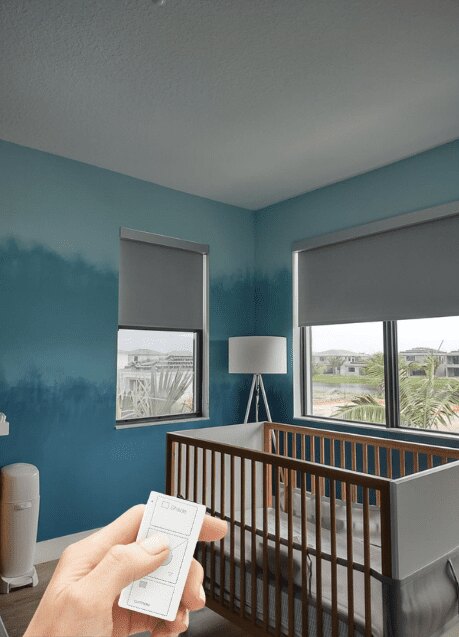
Hunter Douglas PowerView Automation is a motorized control ecosystem for compatible window coverings. A PowerView roller shade can be moved from a remote, app, or scheduled scene instead of a chain. The practical benefit is repeatable light control: shades can open at a selected time, lower for glare, and close for privacy without reaching a high window.
PowerView is not a universal motor that can be added to any roller shade. Compatibility depends on the shade collection, motor, bridge or hub generation, remote, network, and control platform. If you are comparing brands or starting from manual shades, World Wide Shades can help clarify what must be specified before you buy.
CTA: Begin your smart shade plan in the World Wide Shades Builder and note that you are considering PowerView compatibility.
Before you order: make a compatibility map
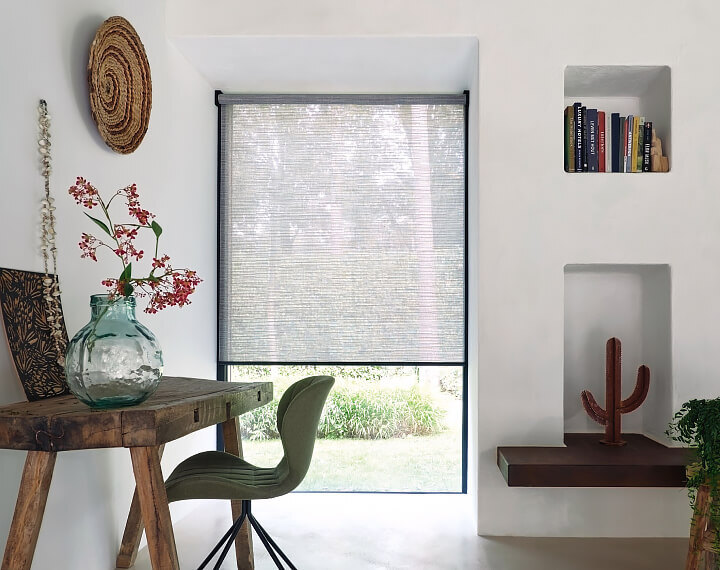
List every window by room, finished width, finished height, mount type, fabric goal, and control preference. Record whether the window needs blackout, privacy, glare reduction, or heat management. A bedroom may need a room-darkening fabric, while a living room may prefer a solar screen that preserves daytime view-through. Compare solar shades versus roller shades and light-filtering shades before selecting the motor.
Next, confirm the exact PowerView platform and accessories offered with the shade order. Product names, app features, bridge requirements, and integrations can change. Use the current documentation from Hunter Douglas PowerView Automation and ask the dealer or shade provider to confirm that the proposed roller shade is supported.
PowerView is different from a generic Wi-Fi motor. A shade can be “motorized” yet use a different radio protocol, bridge, remote, or app. Do not assume that an Alexa, Google, or Apple Home connection will work simply because another smart shade in the house does.
CTA: Have World Wide Shades verify the motor, fabric, and control path at contact before you place a multi-room order.
Installation planning for a dependable system
Mount the shade level and square. A motor cannot compensate for a tube that tracks crooked or a bracket that rubs. For inside mounts, measure depth and check that trim, handles, and insect screens will not interfere. For outside mounts, plan at least enough overlap to cover the opening and choose anchors for the wall material. The how to install roller shades guide explains the physical fit, while motorized shade installation covers control and wiring considerations.
Keep the hub or bridge within the distance recommended by the current PowerView documentation. Dense masonry, metal appliances, and multiple floors can reduce radio reliability. Do not hide the hub inside a metal electrical panel or behind a large aquarium. If one room is far away, plan for the network path before installing every shade.
Use a dedicated outlet for the hub where possible, and label the power adapter. Battery shade locations should remain accessible for service. If a window is 10 feet above the floor, a battery that requires a ladder every few months is not a convenient system.
CTA: Ask World Wide Shades about high-window battery access, rechargeable options, or hardwired planning through the Builder.
Step-by-step setup sequence
Install each shade according to the product instructions, keeping the fabric clear of the sill and nearby handles. Verify that the bracket screws are tight and the headrail is level. Power one shade at a time if you are commissioning a new room; this makes naming and testing easier.
Follow the current PowerView pairing instructions for the specific motor and remote. Pairing steps differ by generation, so avoid relying on a video made for another system. When the shade responds, test open, close, and a partial position such as 50%.
Use names that a guest can understand: “Living Room Left,” “Primary Bedroom East,” or “Kitchen Sink.” Avoid duplicate names and punctuation that voice assistants may misread. Put window orientation in the name when sun exposure matters.
Connect the bridge to the recommended network and confirm that the app can see both the controller and the shades. If a shade is missing, test it near the hub before moving equipment. A clean re-pair is usually more productive than repeatedly tapping a dead device.
Confirm that the shade fully opens without hitting a trim piece and closes without compressing the fabric or hembar. Create useful favorites such as 20% for glare control, 50% for daytime privacy, and 100% closed for evening. A partial position is often more comfortable than a binary open-or-shut routine.
World Wide Shades can coordinate names, fabrics, and positions across a room so a smart scene feels intentional instead of random.
Scenes that deliver real value
A good scene has a trigger, a purpose, and a safe fallback. Start with four rather than twenty.
Morning: Open east-facing bedroom shades to 35% at a reasonable time, then fully open after the household’s wake-up window. If you prefer darkness, use best shades for south-facing windows and set a later transition.
Workday glare: Lower office shades to 25% when the room is occupied or when direct sun reaches the monitor. For video calls, pair the shade with a softer light source instead of closing every shade.
Movie: Close blackout shades and dim lights at the start of a movie. Compare home theater blackout roller shades and blackout shades versus curtains for edge-light control.
Away: Close selected shades for privacy, not necessarily every shade. A daytime schedule that moves a shade in bright sun can reduce heat gain, but verify that plants and pets are not left without needed light.
Set schedules with a 5-to-15-minute offset between rooms when noise or current draw matters. Always retain a physical remote or local control for guests and network outages.
CTA: Tell World Wide Shades which scenes you want at contact, and we can align fabric openness and motor choice to the routine.
Batteries, network reliability, and troubleshooting
Battery life is not a fixed number. Shade width, fabric weight, travel distance, daily cycles, temperature, and radio activity all affect it. A small bedroom shade operated twice daily can last much longer than a wide blackout shade moved eight times a day. Track the first replacement interval in months rather than assuming a universal annual schedule.
If a shade stops responding, check whether it works from the local remote. If local control works but the app does not, investigate the hub or network. If neither works, check battery level, power, motor pairing, and physical obstructions. For a practical comparison, read motorized roller shade batteries versus hardwired power and how to fix a motorized shade that is not responding.
Do not factory-reset every shade as a first response; it can erase room assignments and limits. Test one unit, record the error, and follow the current manufacturer instructions. World Wide Shades can help identify whether the issue is shade-side, controller-side, or network-side.
CTA: Need help planning a stable multi-room install? Call World Wide Shades at (844) 674-2716 or request swatches.
FAQ: PowerView roller shade setup
No. PowerView requires a compatible Hunter Douglas product and motor configuration. A generic motorized roller shade may use another protocol and will not automatically join PowerView. Confirm the exact collection, controller, and integration path before ordering.
The answer depends on the control feature and current system generation. Local remote operation can work differently from app access or remote access. Confirm current hub and network requirements in the manufacturer’s documentation before installation.
Start with four or five: morning, glare control, movie, evening privacy, and away. Add more only when a routine solves a repeated problem. Clear names and partial positions such as 25%, 50%, and 75% make scenes easier to use.
There is no single guaranteed interval. Width, fabric weight, travel, temperature, and daily cycles all matter. Monitor the first cycle and choose rechargeable or hardwired power for high windows where access is difficult.
Some PowerView systems can integrate with supported smart-home platforms, but compatibility varies by generation and bridge. Confirm the current integration list rather than assuming that any voice assistant will work. Keep local control available for outages.
CTA: Build a coordinated PowerView-ready plan with World Wide Shades or call (844) 674-2716 for guidance.