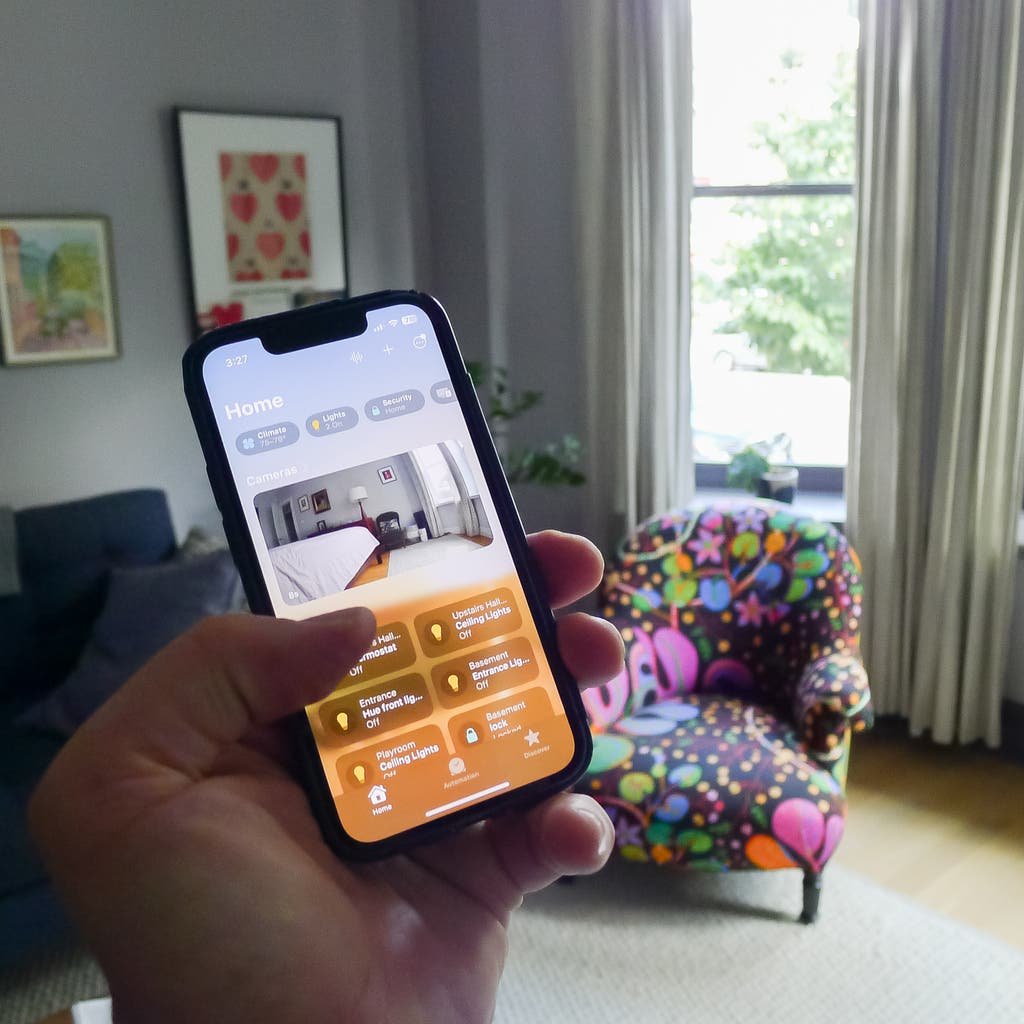
Apple Home owners keep asking the same question: can roller shades actually feel as reliable as a HomeKit light switch, or will they be the one accessory that always shows "No Response" at the worst moment? The honest answer is that with the right motor, the right network setup, and a few naming conventions, HomeKit roller shades can be just as dependable as any other smart accessory in your house. World Wide Shades has helped hundreds of homeowners pair custom shades to Apple Home, and the difference between a frustrating setup and a seamless one almost always comes down to five decisions made before the shade ever goes on the window. This guide walks through hub selection, radio protocol, measuring for motorized fit, the actual pairing flow, Siri phrases that work, and the automations and shortcuts worth building first.
What "HomeKit Roller Shades" Really Means
HomeKit compatibility can mean three different things in 2026: native HomeKit certification, Apple Home support through the Matter standard, or a third-party bridge that translates a motor's proprietary protocol into something Apple Home understands. For homeowners, the practical goal is identical in all three cases — you want to control shades from the Apple Home app, by Siri voice command, and through scheduled automations without babysitting the system.
If you want a setup your household actually uses every day rather than a novelty you show guests once, focus on three fundamentals: a stable network path between the shade and your Apple Home hub, a pairing flow you can repeat without calling support, and automation logic that fails safe so a dead battery doesn't leave you with blinds stuck half-open at 2 a.m. Design custom HomeKit-ready roller shades with World Wide Shades and our team will confirm which motor platforms pair natively versus which need a bridge before you order.
Home Hub Options: Apple TV vs. HomePod
Every Apple Home automation routes through a home hub, and in real households the hub choice affects reliability more than most people expect. Apple TV is often the steadiest option because it's typically hardwired to power near the television and sits on a strong Wi-Fi node — homeowners with 10 or more smart accessories report noticeably fewer "No Response" errors after switching a HomePod mini out for an Apple TV as the primary hub.
HomePod and HomePod mini add native Thread radio support, which can be excellent for low-latency shade commands in apartments or in rooms far from the router. The tradeoff is placement sensitivity: a HomePod tucked behind a television or inside a cabinet loses signal strength fast, so plan for open shelf space. For most single-family homes with 6 to 15 window shades, running both an Apple TV and at least one HomePod mini as a secondary Thread border router gives the widest coverage. If you're still weighing motorized against manual shades for cost reasons, our broader overview of smart home motorized shades setup is a useful starting point before you commit to a whole-house automation budget, and our breakdown of pricing for custom roller shades fills in the cost side.
Wi-Fi, Thread, and Zigbee: Picking the Right Radio
Marketing pages throw around a lot of protocol names, so here's the plain-English translation for shade motors specifically.
Wi-Fi shades connect directly to your home network with no extra bridge required on many systems. They're simple to set up, but each shade adds ongoing load to your router — past roughly 10 Wi-Fi shades, plan for a mesh network or a prosumer router, or you'll see intermittent lag.
Thread shades are the best match for Apple-centric homes in 2026. Thread is a low-power mesh protocol designed for exactly this kind of reliability, and it typically shows fewer dropped commands than Wi-Fi once you have three or more Thread devices forming a mesh. The catch is that Thread requires a border router such as a HomePod mini or a recent Apple TV.
Zigbee and proprietary RF motors rely on a physical bridge box plugged into your router. These are stable if the bridge sits in a central location, and battery life on RF motors is often excellent — 8 to 12 months between charges is common. The downside is one more device to power, update, and occasionally reboot. Talk to World Wide Shades about which motor platform fits your layout and call (844) 674-2716 if you want a same-day recommendation based on your home's square footage and router placement.
Pre-Install Measuring for Automation-Ready Shades
Smart shades only feel smart if the fabric tracks straight and stops cleanly at its limits every single time. Inside-mount installations give a cleaner, flush look but demand accurate measurements and a genuinely square window opening — even a quarter-inch of out-of-square can cause a motorized roller to bind intermittently. Outside-mount installations are more forgiving of trim irregularities and offer better light control, which matters for bedroom and media-room automations tied to darkness.
For clearance, allow about 1/8 to 1/4 inch of side clearance on an inside mount depending on bracket depth and fabric roll diameter. For an outside mount, add 2 to 3 inches of fabric overlap per side for light control and 3 to 5 inches of headrail clearance above the window casing when your wall space allows it. Getting these numbers right the first time avoids a frustrating re-measure after the motor is already programmed. Review our full walkthrough on how to install roller shades for bracket-level detail, and order fabric swatches from World Wide Shades so you can confirm opacity and color under your room's actual lighting before placing a full order.
Pairing Roller Shades to Apple Home Step by Step
Every motor brand has a slightly different pairing screen, but a repeatable flow looks like this:
Step 1 — confirm power and signal. Battery motors should be charged to at least 30% before pairing, and plug-in motors need an outlet that isn't controlled by a wall switch. Check the Wi-Fi signal strength or Thread coverage in the exact spot the shade will hang.
Step 2 — enter pairing mode. Most motors use a small button on the headrail or a recessed pinhole reset switch; consult the motor's quick-start card for the exact button-press pattern.
Step 3 — add the accessory in Apple Home. Open the Home app, tap Add Accessory, scan the HomeKit or Matter code, and name it by room and window position — something like "Primary Bedroom East" — so Siri commands stay unambiguous later.
Step 4 — set upper and lower limits. Before building any automation, calibrate the fully open and fully closed positions so the fabric stops cleanly rather than straining the motor at the end of its travel.
Siri Commands and Naming Conventions That Prevent Confusion
Siri is a literal assistant, so naming discipline pays off immediately. Use a consistent room-plus-position pattern for every accessory: "Kitchen North Shade," or for grouped windows, "Living Room Bay Left," "Living Room Bay Center," and "Living Room Bay Right." Once named this way, useful everyday phrases include "Hey Siri, close the living room shades," "Hey Siri, set the office shade to 35 percent," and "Hey Siri, open shades in the primary bedroom." If you're coordinating a multi-panel bay window, the panel-alignment logic in our guide to best roller shades for a bay window is a helpful companion for keeping Siri groups in sync visually as well as electronically.
Building Reliable Automations for Daily Comfort
The best automations are simple and predictable rather than clever. A sunrise-to-sunset routine that opens shades to 20 to 40 percent at sunrise for gentle morning light and closes fully at sunset for privacy covers most bedrooms and living areas without any manual thought. For south- and west-facing rooms, add a "solar peak" automation that drops shades to 5 to 15 percent openness between roughly 11 a.m. and 4 p.m. on hot days, which measurably reduces afternoon heat gain and glare. Pair this with a fabric strategy from our guide on UV protection for window shades if the room already runs warm in summer. Design your smart-ready shades in the World Wide Shades builder once you know your target openness percentages for each time of day.
Siri Shortcuts Beyond Basic Open and Close
Shortcuts let one spoken phrase trigger a multi-step routine instead of a single shade command. A "Movie Time" shortcut might close the living room shades to 0 percent, switch on a TV and soundbar scene, and dim the lights in one breath — true blackout performance depends on fabric choice as much as motor programming, so compare options in blackout curtains versus blackout shades before finalizing fabric. A "Work From Home" shortcut can set office shades to 35 percent to cut glare on a monitor, shift smart bulbs to a neutral 4000K, and enable Focus mode simultaneously. A "Vacation Mode" shortcut that randomizes shade position between 10 and 70 percent during daylight hours and closes fully at night is a simple, effective way to make an empty house look occupied.
Troubleshooting No Response, Lag, and Out-of-Sync Groups
When Apple Home reports "No Response," start by rebooting the hub — Apple TV or HomePod — since this resolves the majority of transient dropouts. Next, check for Wi-Fi channel congestion and move IoT-only devices to the 2.4GHz band if your router supports band separation; a crowded 5GHz band with dozens of devices is a common cause of shade lag in larger homes. If you're on Thread, confirm at least one border router is online and within range.
If grouped shades drift out of sync during a single scene, recalibrate the open and closed limits on each motor and avoid mixing battery charge levels within the same group, since a weaker battery drives the motor more slowly and throws timing off by a second or two. If a shade stops short of its limit, inspect bracket alignment for level, and check that the hem bar isn't catching on window trim. World Wide Shades can help you spec a motor that matches your shade's exact size and fabric weight — call World Wide Shades at (844) 674-2716 for a quick motor-sizing check before you order.
What to Budget for HomeKit-Style Smart Shades
Pricing varies by shade size and motor tier, but homeowners typically budget roughly $150 to $350 per shade for a motor upgrade over a manual chain-and-clutch system, $80 to $200 for a bridge or hub if the motor platform requires one, and $75 to $200 per shade for professional installation depending on mount complexity and ceiling height. A typical three-bedroom home converting 8 windows to motorized Apple Home control lands in the $1,800 to $4,000 range including hardware and setup. For broader context on custom shade pricing across fabric tiers, see our detailed breakdown of how much custom roller shades cost.
Getting It Right the First Time with World Wide Shades
The fastest path to a reliable smart-shade setup is locking in three decisions early: mount type, fabric openness, and motor platform. Start by ordering fabric swatches from World Wide Shades to confirm color and light control under your actual room lighting, then move into the World Wide Shades builder to price exact sizes and motor options for every window. If you'd rather talk it through first, contact World Wide Shades at (844) 674-2716 for a spec check before you order, and our team will flag any window that needs a bridge or a specific Thread-compatible motor. World Wide Shades has fitted HomeKit-ready shades in homes ranging from single-room apartments to full-house renovations, and getting the network plan right before the first shade ships is the single biggest predictor of a smooth setup day.
Frequently Asked Questions
Some motors pair directly through HomeKit or Matter with no extra hardware, while others require a bridge box; the right choice depends on your total shade count and existing network, so World Wide Shades can confirm compatibility before you order.
Thread tends to be more reliable in homes with several smart devices because it forms a self-healing mesh, while Wi-Fi works well with a strong router and a shade count under about 10 per network.
Yes — most Home-integrated shade motors support percentage-based positioning through Siri, though accuracy depends on how carefully the upper and lower limits were calibrated during setup.
Differences in battery charge level, fabric friction, and small calibration drift over time are the most common causes; recalibrating limits and matching battery levels across the group usually fixes it.
Use an outside mount with 2 to 3 inches of overlap per side, add side channels if your motor system supports them, and choose a genuine blackout fabric rather than just a darker color.
Yes — World Wide Shades routinely recommends motor platform, mounting type, and fabric openness as one package based on your room's automation goals, window sizes, and existing Apple Home hub setup.


