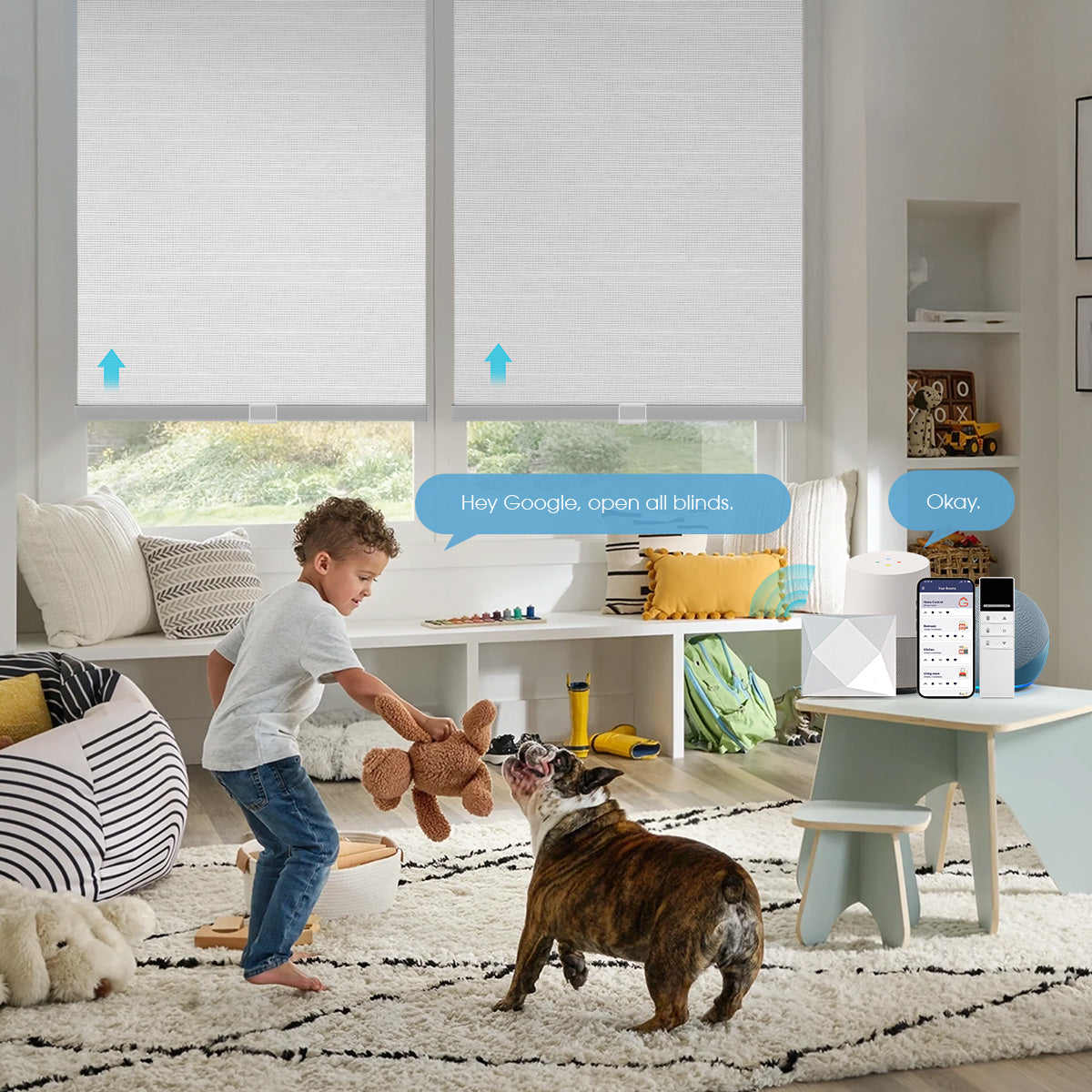
Alexa roller shade routines turn window coverings into a daily comfort system. Instead of opening every shade to 100% at one fixed time, you can let rooms respond to sunrise, sunset, sleep, privacy, glare, and the people using them. The best routines are simple enough to understand, conservative enough to protect privacy, and backed by a physical control when the network or voice assistant is unavailable.
World Wide Shades can help select a fabric and motor that fit the routine you have in mind. Build Alexa-compatible shades with World Wide Shades, compare light-control swatches, or contact World Wide Shades about room-by-room control. Call (844) 674-2716 if you are planning several windows, a high opening, or a mix of battery and hardwired shades.
Start with the shade, then add Alexa
Alexa cannot fix a shade that is not powered, paired, or correctly limited. Install the motor according to its instructions, charge or connect it, set upper and lower limits, and test movement in the manufacturer app or remote first. Then connect the compatible skill, bridge, or Matter path to Alexa. The exact menu names change, but the order should not: reliable shade control comes before routines.
A smart shade system typically includes the shade motor, a remote or wall control, a bridge or Wi-Fi connection, and the Alexa app or speaker. Some motors connect directly; others need a hub. World Wide Shades can review compatibility before you order so you are not choosing a fabric first and discovering that the desired control path is unavailable. Ask World Wide Shades about motor options.
For a platform overview, see motorized shades with Alexa and Google Home. For local and multi-platform planning, compare smart home motorized shade setup.
Name shades so Alexa understands them
Use short, distinct names that match the room: “Bedroom shade,” “Kitchen window,” “Office west shade,” or “Living room picture window.” Avoid a dozen devices called “Shade 1” through “Shade 12.” Put each device in the correct Alexa room or group, then test a spoken command from the location where you will actually use it.
If three windows should always move together, create a group such as “Living room shades.” Keep individual names directional only when you need separate glare control. A good naming plan reduces failed commands and makes routines readable months later. Write the names on a room plan while you configure a World Wide Shades order.
Build a sunrise routine without glare surprises
Sunrise is a natural trigger, but full open is not always the right result. An east-facing bedroom may receive direct light earlier than a living room. A west-facing room may be comfortable at sunrise and harsh at 4:00 p.m. Use a position and a room-specific offset rather than one command for the whole house.
A practical sunrise routine:
- Trigger at local sunrise or a chosen offset after sunrise.
- Run only on selected days or when a sleep scene is not active.
- Open bedrooms to 20% or 30% first if gradual light is preferred.
- Open living areas to 50% or 75% when glare is low.
- Keep blackout layers closed when someone is sleeping.
- Exclude a nursery, media room, or guest room when occupied.
Test the routine in winter and summer. Sunrise can shift by more than two hours across the year in many U.S. locations, and the same position can look very different when the sun angle changes. A solar screen or light-filtering fabric may make a partial opening comfortable where a bare window would not. Review light-filtering shades and best shades for south-facing windows before choosing a universal position.
Compare fabrics in the World Wide Shades swatch library before you program a room that faces direct sun.
Build a sunset routine for privacy
Sunset is usually the strongest privacy trigger because interior lights make glass visible from outside after dark. Use the sunset event as a starting point, then add an offset of 10 to 30 minutes if you want the room to remain open during twilight. In a busy home, a “close street-facing shades” routine is often better than closing the entire house.
A practical sunset routine:
- Close front-facing bedrooms and living room shades to 0%.
- Leave a kitchen shade at 30% if someone is cooking and needs a view.
- Close blackout shades fully in bedrooms only when the sleep scene is active.
- Keep a manually controlled exception for guests or a home office call.
- Send a confirmation only if the system reports device state accurately.
The final position depends on the fabric. A 5% solar screen may provide daytime privacy but silhouettes can appear at night; a room-darkening or blackout layer behaves differently. The blackout curtains versus blackout shades guide explains why edge gaps and layering matter.
World Wide Shades can build a privacy plan around exposure and use, not just the sunset trigger. Start a room-by-room design or contact World Wide Shades for windows that need different positions.
Add everyday privacy and sleep scenes
Sunrise and sunset are the foundation, but scenes make the system feel intentional. Create names that describe the result:
Open selected shades to 50% at a weekday time, but do not override a sleep or vacation scene. Keep the position lower in a glare-prone office and higher in a north-facing kitchen.
Close the living room or media-room blackout layer, leave a small walkway window available if needed, and avoid triggering lights or speakers unless you want a broader scene. Blackout shades for a bedroom offers useful light-control principles for rooms where darkness matters.
Close street-facing shades immediately from a voice command or routine. Use a name that guests can say without knowing individual device labels. If a shade is unreachable, the system should leave the other rooms functional and show which device needs attention.
Close selected shades when the household leaves, but treat presence routines separately from sunset. Alexa can run the command, while a phone-based or home-automation platform may provide richer presence logic. Read smart home motorized shade setup before adding multiple triggers that can fight each other.
Avoid competing commands
A common failure is two routines sending contradictory commands within minutes: a sunrise routine opens a shade, a sleep routine closes it, and a manual command is overwritten by sunset logic. Give each routine a clear time window and priority. Use conditions such as “only if sleep mode is off” or “only if the room is occupied,” when your connected devices support them.
Do not create a routine that runs every few minutes to “keep” a shade at a position. That adds unnecessary commands and can make troubleshooting difficult. Check battery status, hub connectivity, and limits if a shade stops responding. World Wide Shades can help distinguish a control problem from a fabric, tube, or installation issue.
Choose a useful fallback
A voice routine is not the only control. Keep a remote, wall switch, or manufacturer app available for visitors and for network interruptions. Test the shade when the Alexa device is muted or the bridge is offline. Battery-powered shades need a charging plan; hardwired shades need safe electrical installation and a power-return behavior.
If a large window uses two or more shades, decide whether they should move together or independently. A single scene may look better when fabric edges align, but independent control can prevent glare on one side of a room. Explore roller shade valance options if the headrail or cassette should disappear into the design.
Ask World Wide Shades to plan the control layout, configure the system, or call (844) 674-2716 when a high window needs dependable everyday operation.
Alexa routine troubleshooting
- Alexa says the device is unavailable: check the skill account, bridge, Wi-Fi, and motor power.
- The wrong shade moves: rename devices and correct room groups; avoid duplicate names.
- The shade moves but stops early: inspect upper and lower limits before rebuilding the routine.
- The routine runs at the wrong time: confirm the home time zone and whether the trigger is sunrise, sunset, or a fixed clock time.
- The shade opens too far: replace 100% with a percentage such as 50% and test in the room.
- Only one shade fails: troubleshoot that motor and its power rather than deleting the entire routine.
For a home with many rooms, keep a simple inventory of shade name, motor, room, trigger, and preferred position. That makes battery replacement and troubleshooting much faster.
Frequently asked questions
Yes, when the motor and Alexa connection support routines. Use local sunrise as the trigger, add a room-appropriate position, and exclude sleep or guest scenes so the routine does not open every shade automatically.
Yes. Sunset is a useful privacy trigger, especially for street-facing rooms, but consider a 10- to 30-minute twilight offset and different positions for kitchens, bedrooms, and living areas.
Start at 50% for a balanced daylight position, then adjust to 20% to 30% for gradual bedroom light or 75% for a brighter living room. The correct number depends on orientation, fabric openness, and screen glare.
The motor may be unpowered, the battery may be low, the bridge or Wi-Fi may be offline, or the linked skill account may need attention. Test the shade with its remote or manufacturer app before changing the routine.
Yes, compatible shades can be placed in an Alexa group or addressed by a routine. Use a group for windows that should always move together and individual names when one room needs independent glare or privacy control.
No. Keep a physical or manufacturer control for guests, outages, setup, and safety. A reliable smart shade system gives the household more than one way to operate the window.
Make the routine fit the room
The best Alexa automation is not the one with the most triggers; it is the one that opens and closes the right fabric at the right time without surprises. World Wide Shades can match shade construction, motor control, and room goals before you write the first routine. Build your Alexa shade plan or contact World Wide Shades for help.


