A replacement remote can restore control to a motorized shade, but pairing is not the same as simply pressing a button. The shade and remote must share a radio channel, and many systems use a short programming window to prevent accidental changes to other shades in the room. A careful sequence protects your existing upper and lower limits and makes it easier to group several windows later.
World Wide Shades can help identify the correct control path for a custom motorized shade. Start with the World Wide Shades builder when planning a replacement or a new motor, request swatches if you are updating the fabric at the same time, or contact World Wide Shades with the motor and remote labels before you reset anything. This guide gives a brand-neutral workflow; button names vary by manufacturer.
Confirm compatibility before pairing
Read the label on the back of the remote, the motor head, charger, or installation paperwork. Record the brand, model family, frequency or protocol if listed, number of channels, and whether the remote is one-way or two-way. A remote that looks similar may use a different radio system and cannot pair with the motor.
Count the shade channels. A one-channel remote may control one motor or one group, while a 5-, 15-, or 16-channel remote can assign individual shades and scenes. Some remotes use channel 0 or “all” as a group channel. Do not assume that a replacement remote with the same number of buttons is compatible.
Check power first. A rechargeable motor should have a meaningful charge; a motor with a low battery may enter pairing mode but fail to retain the connection. A hardwired motor should have power at the circuit and any inline switch should be on. If the motor is silent, solve the power problem before attempting a reset.
Take a photo of the current remote and the motor label. Contact World Wide Shades with those details if you are unsure which replacement to order. Call (844) 674-2716 before pressing a factory-reset combination; some resets erase limit positions or every paired remote.
Prepare the shade and work area
Stand where you can see the shade and reach the motor's program button if one is exposed. Remove objects from the sill and keep children and pets away from moving parts. If the shade is high, use a safe ladder with a spotter rather than reaching from furniture.
Lower the shade to a known position if possible. If it is stuck at the top, leave it there and note the position. Pairing works best when only the target shade has power or when nearby shades are placed in a sleep or programming state. In a multi-shade room, unplug adjacent rechargeable chargers and avoid pressing their program buttons.
Write down the current stop positions. A shade normally has an upper limit, lower limit, and sometimes a favorite or intermediate position. Pairing a new remote should not require changing them, but recording the positions lets you identify a reset immediately. The motorized shade limit-stop guide is useful if the shade loses its stops.
Set the remote to the intended channel. If the remote shows channels 1 through 5, choose the target shade's channel. If the old remote still works, use it to identify which channel moves the target. Use the World Wide Shades builder to plan channel labels for a new installation rather than relying on memory.
Standard pairing sequence
The exact buttons vary, but most systems follow this pattern:
- Wake or power the motor.
- Select the target channel on the new remote.
- Press the motor's program or set button briefly until the shade jogs or beeps.
- Within the allowed window, press and hold the remote's pairing, up, or stop button.
- Wait for a second jog, beep, or LED confirmation.
- Press up, down, and stop once each to verify movement.
The jog is a short movement, often 1 to 2 inches, that confirms the motor entered programming mode. Do not hold the motor button for 10 or 20 seconds unless the instructions specifically say to; a long hold may erase limits or factory-reset the motor.
Some systems use a remote sequence such as “program, stop, up” or “stop plus up.” Follow the printed instructions for the model. A brand-neutral sequence is helpful for orientation but cannot replace the manufacturer's button map.
When the shade responds, test the selected channel from several feet away. A shade that moves only while the motor button is held may be in a manual or jog mode rather than fully paired. Contact World Wide Shades if the motor jogs but does not respond to normal up and down commands.
Pair one shade without disturbing a group
The risk in a multi-window room is pairing the new remote to every powered motor. Isolate the target whenever possible. Unplug or switch off the other shades, then pair the replacement remote to the one that remains powered. Restore the other shades after the target responds normally.
If the system cannot isolate power, use the existing remote's individual channel and place every other shade outside programming mode. Avoid sending an “all” command while pairing. For a 5-channel remote, label channel 1 “living room left,” channel 2 “living room center,” and so on with a small removable label.
After individual pairing, test the group channel. If the group does not work, the issue may be channel assignment rather than pairing. Add a group only after each individual shade works. The smart-home motorized shades setup guide explains how a bridge or hub fits after the basic remote is reliable.
Protect or restore limits
Normal pairing should preserve the upper and lower limits. Test the shade by tapping up, stop, and down; do not hold the buttons during the first test. If the shade travels beyond its previous stop, stop it immediately and consult the model instructions.
To restore limits, most motors use a programming mode followed by an upper-limit command, a lower-limit command, and a save or stop confirmation. Measure the desired positions before programming. The upper stop should leave the roll clear of brackets; the lower stop should leave the bottom rail clear of the sill, handle, or furniture.
If the shade rolls in the wrong direction, many systems offer a reverse-direction command. Do not keep pressing up and down randomly because the motor may interpret a long hold as a reset. Contact World Wide Shades with a short video of the behavior and the remote model.
For a wide or heavy shade, verify that the motor does not strain at either stop. Humming, stalling, or a slow final inch can indicate low power, an obstruction, a binding tube, or a limit that is too aggressive. Read the motorized roller shade humming guide before continuing.
Troubleshoot a remote that will not pair
Start with power and distance. Replace the coin cell or charge the handheld remote if applicable, and charge the shade motor. Stand 3 to 6 feet from the shade; too much distance can weaken the first programming signal, while standing directly against the motor can make it hard to see a confirmation jog.
Confirm the remote channel. A remote can appear dead when it is simply set to channel 2 while the motor is on channel 1. Try the target channel individually, not the group channel. If an LED flashes but the shade does not jog, the protocol may be incompatible.
Repeat the sequence once after waiting 30 seconds. Do not perform rapid factory resets. If the motor has a bridge, hub, or wall switch, temporarily remove the extra control from the diagnosis. Pair the handheld remote first; then reconnect the smart controller.
Check for radio interference from a metal cabinet, foil insulation, thick masonry, or a nearby wireless device. A 10-foot repositioning test can reveal whether the location is the issue. If the remote pairs only when close to the headrail, ask World Wide Shades about the receiver and antenna.
The motorized shade hub disconnected article covers network issues that can look like a remote failure. Contact World Wide Shades for a compatibility check rather than ordering a second remote blindly.
Add smart-home control after pairing
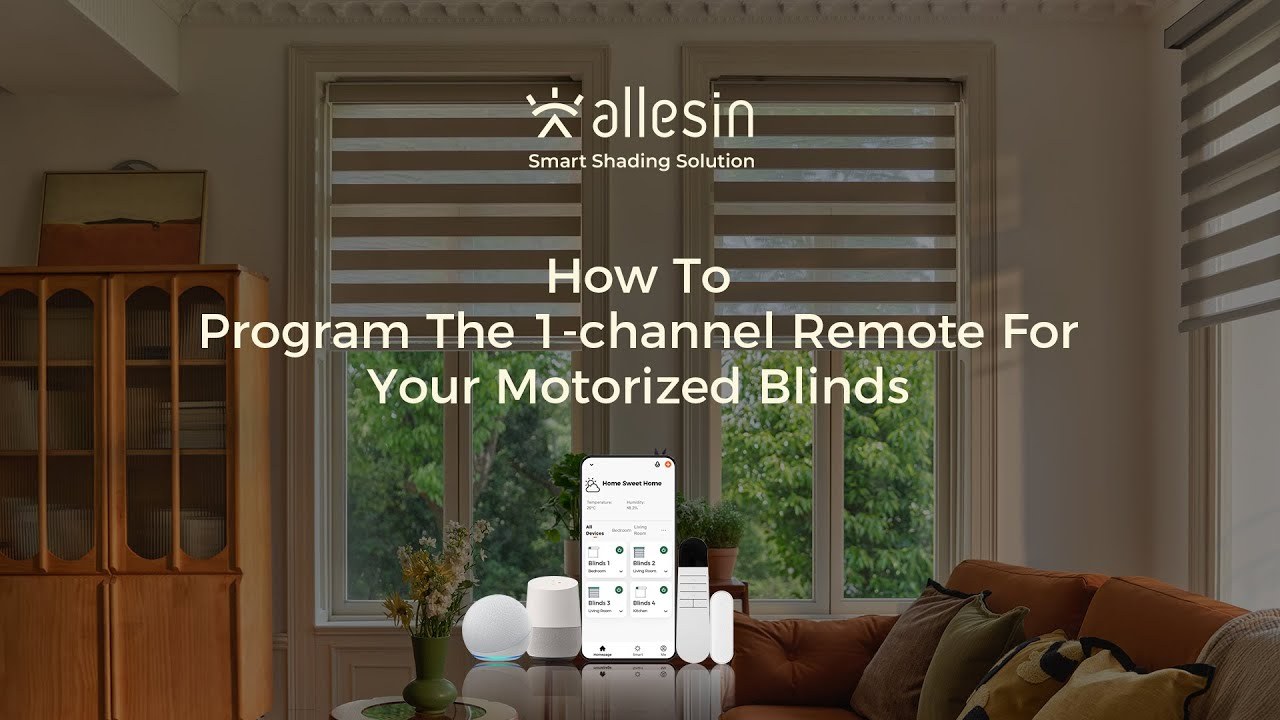
The handheld remote should work reliably before a hub, Alexa, Google Home, or another platform is introduced. A smart bridge may learn the shade through the existing remote, a motor-specific pairing mode, or a supported protocol. The exact process depends on the motor family.
Keep the remote as a local fallback. Name devices by room and window, then test open, close, stop, and percentage commands. A routine that closes a shade at sunset should not be the only way to operate it. The motorized shades Alexa and Google Home guide covers voice-control expectations.
For a new project, include control and charging access in the quote. A rechargeable motor may need charging every 4 to 12 months depending on size, fabric weight, cycles, and temperature. A hardwired motor avoids routine charging but needs electrical planning. Request a control plan from World Wide Shades before the walls or ceiling are closed.
Build a new motorized shade plan, order swatches, or contact World Wide Shades with the motor label and remote photo. Call (844) 674-2716 if the old remote is lost and you need help identifying the system.
FAQ
Select the target channel, briefly put the motor into programming mode, then press the remote's pairing or designated save combination until the shade jogs or beeps. Confirm with short up, down, and stop tests. Use the exact button sequence for the motor model.
Usually not if you perform a normal add-remote procedure, but a long program-button hold or factory reset can erase limits and paired devices. Record the current stops and avoid reset combinations until compatibility is confirmed.
The remote may be on the wrong channel, incompatible, out of power, or outside the programming window. The motor can also be in a different mode or paired to a group. Isolate the target shade and repeat the documented sequence once.
Yes, when the remote supports multiple channels or group control. Pair each motor individually first, then assign a group channel. Isolate or power down other motors during individual pairing to prevent accidental cross-pairing.
Stop testing and use the model's reverse-direction procedure. Do not randomly hold buttons because some systems interpret long holds as limit edits or factory resets. A motor label and short video will help World Wide Shades identify the correct steps.
Make the replacement control dependable
Pairing succeeds more often when the remote is verified, the target motor is isolated, power is adequate, and the programming window is respected. Record limits, use the correct channel, confirm the jog, and test normal operation before adding a hub or routine. These habits protect the rest of a multi-shade installation.
Configure motorized shades with World Wide Shades, request fabric swatches, or contact World Wide Shades for help with a replacement remote, group control, or smart-home plan. World Wide Shades can help you avoid a reset that creates a bigger problem than the lost remote.