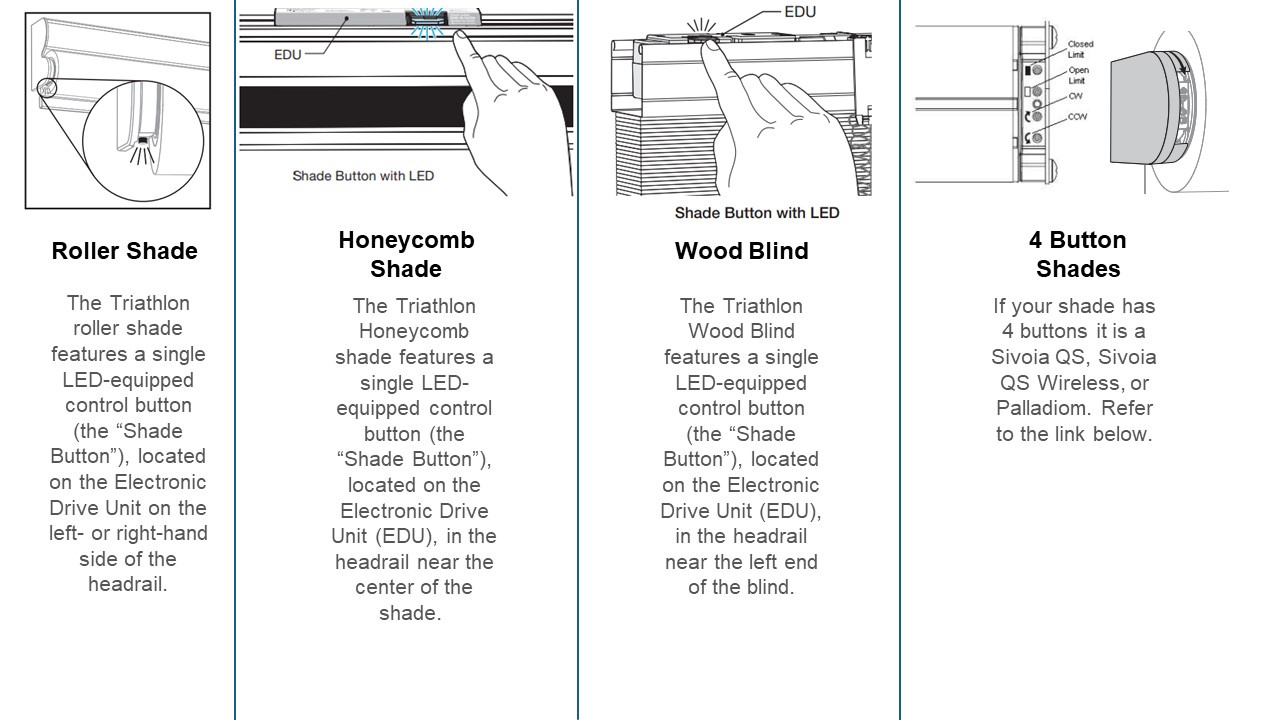
Upper and lower limits tell a motorized roller shade where to stop. The upper limit keeps the fabric from disappearing too far into the headrail or cassette; the lower limit sets the finished position at a sill, table, or floor. Correct limits protect fabric, reduce strain, and make scenes repeatable. The button sequence varies by motor, so use the shade's manual for the exact programming commands while following the planning principles below.
World Wide Shades can help identify the right setup path for your motor and control. Contact World Wide Shades with the motor label and remote model before changing limits on a hard-to-reach or hardwired shade.
What a limit actually controls
A motor limit is a stored stop point, not a measurement of the window. The motor learns a position from its encoder, timing, or mechanical reference. When you press open or close, it travels to that stored point. A shade can have an upper limit, a lower limit, and sometimes a favorite or intermediate stop.
The finished fabric position is affected by bracket position, roll diameter, fabric thickness, bottom bar, and headrail orientation. If the shade was remounted or the fabric was replaced, old limits may no longer be correct. That is why limits should be checked after installation and after any service.
For the wider smart-home context, see smart home motorized shade setup. If your shade is not responding to the remote at all, start with motorized shade remote pairing before attempting limits.
Prepare before programming
Find the motor label, receiver, or model number. Note whether the shade is battery-powered, plug-in, or hardwired, and whether it uses a handheld remote, wall switch, hub, or app. Two remotes can look similar while using different programming sequences.
Take a photo of the buttons. Write down which channel selects the shade or group. If the remote controls several shades, select one shade first; programming a group can overwrite limits on every selected shade.
Confirm that brackets are tight, the headrail is level, the fabric is centered, and the bottom bar clears the sill. Remove objects from the travel path. Run the shade briefly in the current direction and listen for rubbing, clicking, or a change in speed.
A limit will not fix a shade that is binding. If the motor hums without movement, read roller shade motor humming but not moving and stop cycling it.
A low battery can interrupt programming midway. Charge a rechargeable motor according to the product instructions, or verify stable power to a hardwired system. Never disconnect a hardwired power supply by pulling the motor connector while energized; use a qualified electrician for electrical isolation.
Keep the remote within the normal control distance, often 10 to 30 feet indoors depending on walls and radio conditions. Do not place the remote behind metal or operate it from the other side of a closed equipment cabinet.
A safe, manufacturer-agnostic sequence
The exact button names vary, but most systems follow the same logic:
- Select one shade or channel.
- Enter programming mode with the shade's program, reset, or motor button.
- Jog or move the shade to the desired upper position.
- Store the upper limit using the documented save command.
- Move the shade to the desired lower position.
- Store the lower limit.
- Test full open, full close, and any favorite position.
- Exit programming mode and reselect the group if needed.
“Jog” usually means a short tap that moves the fabric a small distance rather than a long press that runs continuously. The manual may require a combination such as a program button plus an up or down button. Do not copy a sequence from another brand unless the motor documentation confirms it.
World Wide Shades can help you confirm whether your system stores limits at the motor, remote, bridge, or app level. Send the model information before a reset if you do not want to erase pairings.
Set the upper limit
Start with the fabric fully lowered or at a known safe position. Select the individual shade. Enter programming mode, then move the shade upward in short increments until the fabric is at the desired open position. Leave the amount of roll specified by the manufacturer; some shades need a minimum wrap on the tube.
Check that the bottom bar does not strike the headrail, cassette, pocket, or trim. If the shade disappears into a pocket, verify that the bar will not catch a lip on the way out. Save the upper limit only after the mechanical position is correct.
An upper position that is 1 or 2 inches too high may not look serious, but repeated impacts at the headrail can create noise and wear. If the shade is in a deep recess, review roller shade installation in recessed windows for clearance checks.
Set the lower limit
Move the shade downward in short increments. Aim for the functional endpoint: the bottom bar may land on a sill, align with adjacent shades, stop just above a countertop, or reach the floor for privacy. Keep the bar clear of handles, furniture, plants, and objects that could be caught.
For a blackout goal, the bottom position is only one part of the result. Side gaps and top gaps may still admit light, so consider a cassette or side channels. Blackout shade guidance explains why a lower limit alone cannot make an inside-mounted roller fully dark.
Store the lower limit, then test the shade from the upper position. It should travel smoothly and stop consistently. If it overshoots by more than a small amount, repeat the programming sequence rather than holding the button against the stop.
Add and test an intermediate favorite
Many motor systems support a favorite position between open and closed. A favorite can place a solar shade at a glare-control height or a bedroom shade at a privacy position. Set it only after upper and lower limits are stable.
Use the favorite for a real use case, such as leaving the top 8 inches open for daylight while protecting a screen. Record the intended position in the room's automation notes. If a smart-home platform later shows a different position, check whether it is using a percentage command or the motor's stored favorite.
Group control and smart-home scenes
Program individual shades before grouping them. Confirm that each shade opens and closes correctly, then select the group channel. Test a group command while watching for one shade that moves in the wrong direction or stops at a different height.
If the home uses Alexa, Google Home, or Apple Home, sync the device only after the motor limits are correct. Smart-home percentage commands can appear to work while the physical lower limit is wrong. For platform-specific ideas, read motorized shades with Alexa and Google Home.
World Wide Shades can help you choose motors that match a home's control goals. Configure motorized shades or ask the team for help at (844) 674-2716.
Troubleshooting limit problems
Check that the remote is paired, the correct channel is selected, and the battery or power supply is healthy. A remote lock, hub mode, or child lock may block programming. Do not hold reset buttons randomly; a full reset may erase every pairing and limit.
Look for an obstruction, a low-battery interruption, a fabric roll that is telescoping, or a motor protection timeout. Check that the headrail is level and that the upper limit is not being applied by a group or app scene.
Move the bar upward with a jog, save the lower limit again, and check for a sill that is not level. If the bar contacts the window hardware, change the mount or add a spacer rather than forcing the motor to pull against it.
Some motors retain limits in nonvolatile memory; others may require reinitialization after an unusual power event. Check the product manual. A power outage should not be treated as permission to repeat a factory reset.
Open and close each shade individually. If only one is wrong, program that shade. If every shade moved to a new position, inspect the group selection or automation scene. Save the final limits and group membership in the home documentation.
When to call for help
Stop and get technical help if the shade is above a stairwell, connected to line voltage, binding, making a grinding noise, or moving unpredictably. Motor limits are not a substitute for a mechanical repair. A professional can also align multiple shades so their lower bars appear level across a wide window wall.
World Wide Shades can help with product identification, fabric roll behavior, and replacement planning. Contact the team or call (844) 674-2716 with a photo of the remote and motor label.
FAQ: motorized shade limit stops
They are stored stop positions that define how far the shade opens and closes. The upper limit controls the raised position; the lower limit controls the finished privacy or light-control position.
No. The general order is similar, but button combinations and reset behavior vary by motor and remote. Use the exact manual for your model or ask World Wide Shades to confirm the sequence.
Individual programming prevents a group command from overwriting limits on several shades. Select one channel, complete its test, then add group control after every shade works alone.
It should open to the manufacturer-approved position while leaving any required fabric wrap and clearance. Do not program the bottom bar to strike the headrail, pocket, trim, sill, or furniture.
It can. Some resets erase limits only, while factory resets can erase pairings and favorites. Confirm the reset level before holding a program button for an extended time.
World Wide Shades can help identify the motor and explain the correct support path. Send the model and remote details, or use the builder for a new shade plan. Call (844) 674-2716 when the shade is hard to reach or hardwired.
Correct limits make motorized shades feel quiet and intentional. Program the individual shade, verify the mechanical path, save both endpoints, and only then add groups and smart-home scenes.


