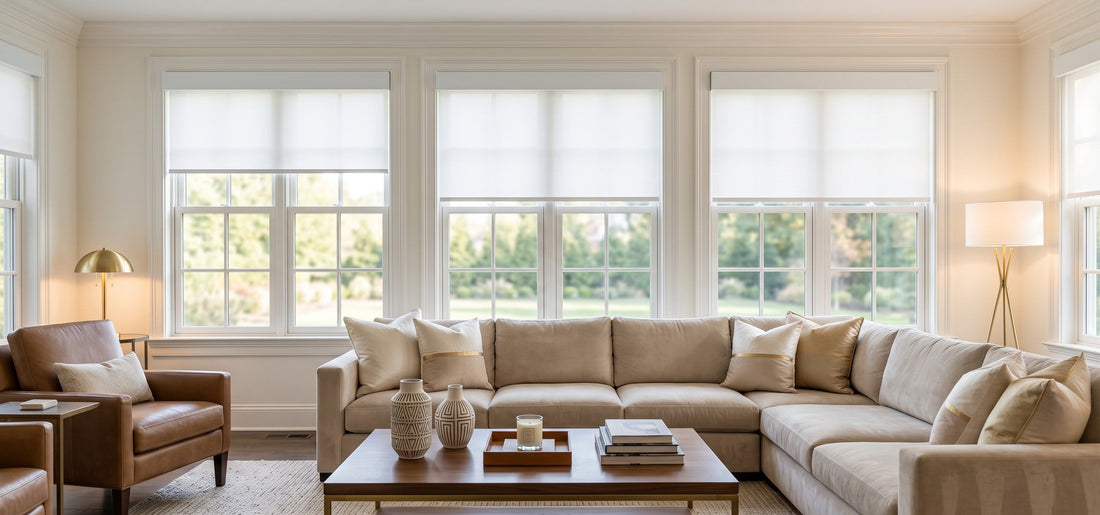
Apple HomeKit motorized roller shades can turn daylight, privacy, and sleep routines into simple scenes. The best setup is not the one with the most automations; it is the one that responds predictably when the internet is slow, a guest taps a wall control, or sunrise changes by 40 minutes between seasons.
This guide covers compatibility, home hubs, Matter versus native integrations, motor selection, room-by-room scenes, privacy safeguards, and troubleshooting. World Wide Shades can help specify the fabric, motor, and control path together; start with the World Wide Shades builder.
Choose the Apple Home connection path
Motorized shades reach Apple Home through native HomeKit support, Matter, or a manufacturer bridge that exposes the motor to Apple Home. Native support may be simple inside one manufacturer ecosystem. Matter is designed for cross-platform compatibility, but the accessory, bridge, and Apple devices must support the same feature set.
Read the current manufacturer compatibility list instead of relying on a product title that says “smart.” Confirm whether the shade supports up, down, stop, position percentage, scenes, and local control. A basic integration may expose only open and close, while a richer one lets you set a 35% position for glare control.
World Wide Shades can help match a motor to your planned platform. Send the product or project details through contact before you order, and browse swatches while the control plan is being finalized.
Apple Home hub and software basics
Apple’s current guidance says a home hub such as an Apple TV or HomePod is needed for sharing home control and receiving Home notifications on the latest version of Apple Home. Apple also notes that iPad is not supported as a home hub on the latest version. Review Apple’s Home update guidance and keep iPhone, HomePod, Apple TV, and accessory firmware current.
A hub lets schedules and automations run when you are away, but it does not repair a shade that has no battery, no power, or a jammed fabric. Place the hub where it has dependable power and reasonable radio or network coverage. Avoid hiding wireless bridges inside metal cabinets or behind dense masonry.
If your home already uses a bridge, list its location, account, Wi-Fi network, and reset procedure in your project notes. World Wide Shades can help create a control map for each room; call (844) 674-2716 for a multi-window plan.
Battery, plug-in, or hardwired motors
Rechargeable battery motors are often the easiest retrofit. With typical use of 2 to 4 full cycles per day, many systems provide months between charges, but actual runtime depends on shade width, fabric weight, temperature, and battery size. Keep the charging port reachable and plan a safe cable route for the occasional recharge.
Plug-in motors avoid battery visits but introduce a visible cord unless an outlet and cord path are coordinated. Hardwired motors use low-voltage power and are particularly useful for new construction, high windows, and large shades. The hardwired motorized shade wiring plan explains transformer locations, labels, access, and electrician coordination.
Choose the motor based on the finished shade, not just the smart-home logo. A 96-inch blackout shade can demand a different motor than a 30-inch light-filtering shade. World Wide Shades can validate the motor against width, height, fabric, and daily cycles through the builder.
Name and organize shades for reliability
Use a consistent naming convention: room, orientation, and window. “Primary Bedroom East” is more useful than “Shade 4.” Assign each shade to the correct Apple Home room, then create groups only when windows genuinely need to move together.
For a bank of four living-room windows, a group called “Living Room Windows” is intuitive. Keep the individual accessories available for one window that gets a different glare pattern. Test a group with all shades at once before adding it to a schedule; a large group can expose a weak bridge or overloaded network.
Document the final names on the shade schedule. World Wide Shades can prepare a window-by-window plan and help you order the right fabrics through swatches.
Build useful scenes, not constant motion
Set bedroom shades to 35% or 50% at a chosen time, then use a separate weekday schedule if household routines differ. A gradual partial opening can provide daylight without exposing the room immediately. Blackout fabric may need a later opening for a sleeper, while light-filtering fabric can open earlier.
Use a privacy and occupancy scene that closes selected street-facing shades when everyone leaves. Add a delay or schedule for the home’s actual routine so a quick dog walk does not close every window. The energy-efficient window shades guide covers how seasonal solar control can complement automation.
Lower living-room shades to 20%–40% rather than always closing them fully. Solar fabrics with approximately 3%–5% openness can preserve a view while reducing glare, though screen position and sun angle matter. Use World Wide Shades to compare openness choices.
Close bedroom and bathroom shades together, but leave a manual control path. A scene should not prevent an occupant from raising a shade for ventilation, cleaning, or emergency visibility. World Wide Shades can help create privacy-first room groupings; contact the team for a tailored plan.
Room-by-room design decisions
Choose blackout or room-darkening fabric when sleep is the priority, and consider an outside mount or side channels to reduce edge gaps. The best window shades for bedrooms guide compares coverage and fabric choices. Keep all cords and charging leads out of a child’s reach; motorization removes operating loops but does not eliminate every electrical or furniture hazard.
Use a position scene that manages glare while retaining the view. A 10% solar openness fabric may feel too bright on an unshaded west window, while 3% fabric can make a screen more comfortable at midday. Evaluate the actual orientation, glass, and nearby trees rather than choosing a percentage by habit.
Moisture, splashes, and frequent cleaning favor a durable, easy-care fabric. The roller shades for kitchens and bathrooms guide covers practical material and mounting considerations. Use a privacy schedule that closes the shade at dusk but still allows a manual open command.
Create a work scene that lowers shades only on the windows behind or beside the display. A 30% position may cut reflections without turning the room dark. World Wide Shades can coordinate a consistent look across rooms; request swatches before ordering.
Schedules that respect real life
Sunrise and sunset change throughout the year. A schedule fixed at 7:00 a.m. can be too early in winter and too late in summer. Use an astronomical trigger with an offset when the platform supports it, then add a latest-open or earliest-close boundary for comfort.
A practical rule might close west-facing shades 30 minutes before peak afternoon glare, open them to 40% after the sun passes, and close privacy shades at sunset. These are starting points, not universal settings. Review the result after 7 days and adjust one variable at a time.
Avoid a schedule that moves a shade every 5 minutes. Excess cycles add noise and consume battery without improving comfort. World Wide Shades can help choose fabric openness that reduces the need for constant movement; call (844) 674-2716 when automation and material decisions are linked.
Privacy and security considerations
Do not make every window follow the same away routine. A street-facing bathroom window may close at dusk, while a backyard window can remain partially open. If a scene announces whether anyone is home, use a neutral name and restrict guest access.
Apple’s Home safety and privacy information emphasizes keeping devices and software updated. Use two-factor authentication where required, review invited users, and remove old residents or contractors. Keep manual controls available for visitors and emergencies.
Troubleshoot one layer at a time
If a shade works by remote but not Apple Home, inspect the bridge, account, network, and accessory pairing. If it fails by every control, inspect battery, power, fabric path, and motor. The motorized shade won’t roll up troubleshooting guide provides a symptom-first sequence.
If automations run at the wrong time, check location, time zone, sunrise offset, and scene membership. If only group commands fail, test each shade individually and improve hub placement before deleting every accessory. If pairing is lost after a reset, the lost motorized shade remote guide explains why identifying the motor matters.
World Wide Shades can help determine whether the problem is a fabric specification, motor, bridge, or automation rule. Start at contact rather than repeatedly resetting the system.
FAQ: Apple HomeKit motorized roller shades
A hub is commonly needed for away-from-home control, sharing, and reliable automations on the current Apple Home platform. Apple’s current support guidance identifies Apple TV or HomePod as home-hub options and says iPad is not supported as a home hub on the latest version.
Neither is automatically better. Native support may expose more manufacturer-specific features, while Matter can simplify cross-platform compatibility. Compare the accessory’s supported commands, bridge needs, local behavior, and firmware support before choosing.
Often, if the motor integration exposes position control. Some systems provide only open, close, and stop. Verify the feature list and test the percentage command before building scenes around it.
Choose fabric based on the room’s goal: blackout for sleep, solar openness around 3%–5% for strong glare control, or light filtering for diffuse daylight. Automation cannot compensate for a fabric that is wrong for the window’s orientation.
Use a group when windows share the same light and privacy needs. Keep individual control for exceptions. Test the group at full load and confirm the bridge and motor network remain responsive.
For installation planning, compare custom shades for new construction and window shade color guide.
Design the system before you pair it
A dependable Apple Home shade installation starts with the window, fabric, motor, hub, names, and scenes—not with a random smart accessory. World Wide Shades can coordinate those choices and help you avoid a mismatched control path. Use the builder, request swatches, or contact World Wide Shades and call (844) 674-2716 for guidance.


