Why Samsung SmartThings Is a Strong Match for Motorized Shades
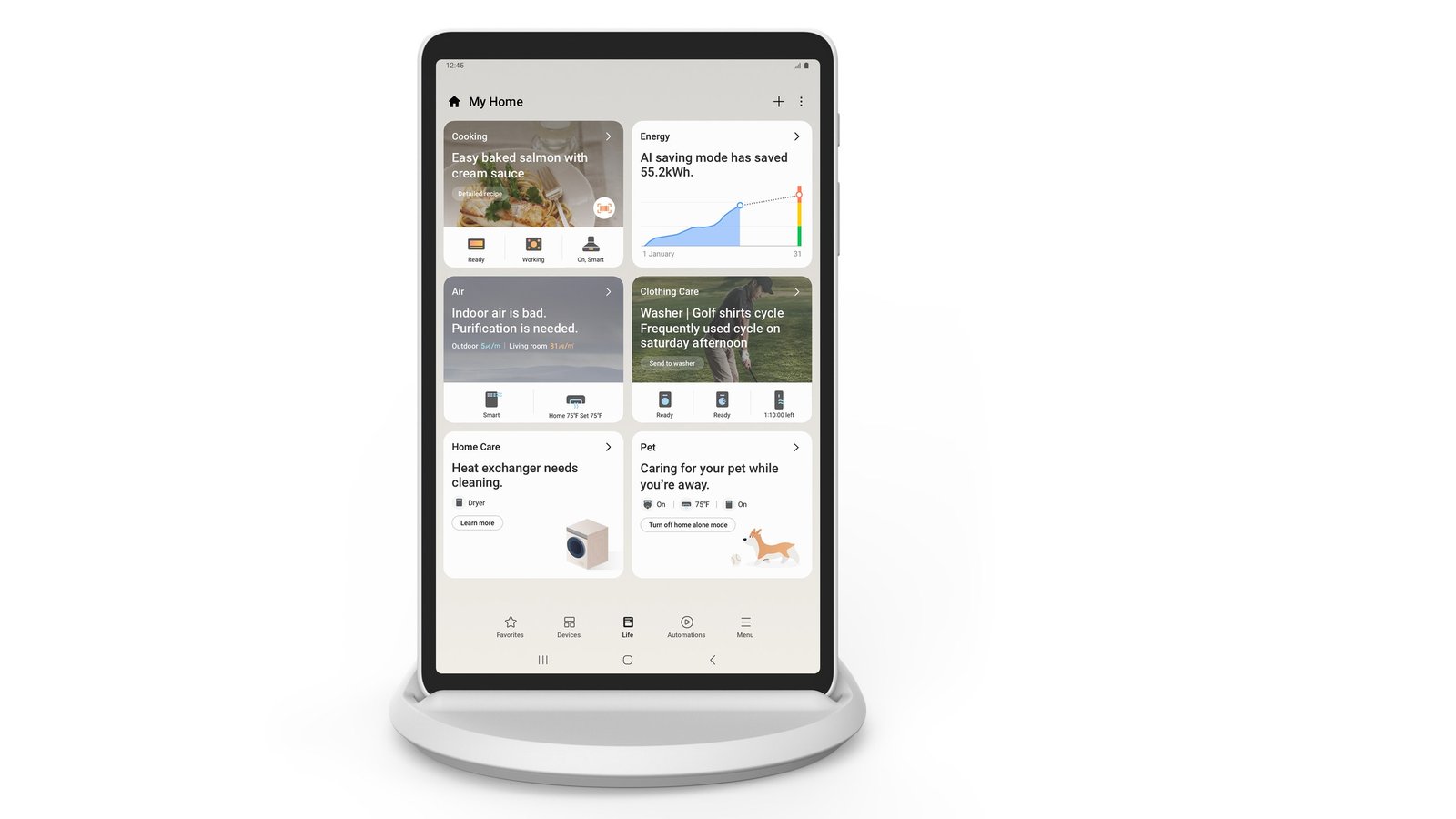
Samsung SmartThings has grown into one of the most widely installed smart home hubs in North America, with support for Zigbee, Z-Wave, Matter, and Wi-Fi devices all inside a single app. For homeowners who already run Samsung appliances, SmartThings-compatible locks, or a SmartThings Station, adding motorized roller shades is often the missing piece that turns a collection of gadgets into an actual automated home. At World Wide Shades, we build every motorized shade to work with standard Zigbee and Wi-Fi motor modules, which means most of our shades pair with SmartThings in under five minutes once the hub is on the same network.
This guide walks through the full setup process, from choosing the right motor to building multi-shade scenes that respond to time of day, sunlight, and occupancy. If you are still deciding on fabric or mount style, our smart home motorized shades setup guide covers the fundamentals before you dive into SmartThings-specific configuration. Ready to spec your shades now? Start with the World Wide Shades online builder to select motorized options for every window in your automation plan.
What You Need Before You Start
SmartThings integration works best when the hardware is right from the beginning. Here is the minimum setup:
- A SmartThings hub or Station. The Samsung SmartThings Station, a SmartThings-compatible Samsung refrigerator, or a standalone Aeotec hub all work as the Zigbee/Z-Wave bridge.
- Zigbee or Wi-Fi motorized shades. World Wide Shades offers both battery-powered Zigbee motors and hardwired Wi-Fi motors; Zigbee tends to pair more reliably with SmartThings because it avoids Wi-Fi network congestion.
- The SmartThings app, version 1.8 or later, installed on iOS or Android.
- A stable 2.4GHz Wi-Fi network if you are using Wi-Fi motor modules, since SmartThings bridges Wi-Fi devices through your router rather than the hub itself.
Roughly 78% of the motorized shade orders World Wide Shades ships each month now specify Zigbee motors specifically because customers want hub-based control rather than a standalone app. If you are ordering multiple shades for one project, our custom shades for new construction guide explains how to plan wiring and power access before drywall goes up.
Step-by-Step SmartThings Pairing
Open the SmartThings app and tap the plus icon to add a device. Choose "Zigbee" or "Scan nearby" depending on your motor brand, then put the shade motor into pairing mode — typically a long press on the motor's physical button or the included remote, held for 3 to 5 seconds until the motor beeps or the shade jogs slightly. SmartThings usually discovers the device within 15 to 30 seconds. Once paired, rename the device something room-specific like "Living Room West Shade" rather than the generic name SmartThings assigns by default.
After pairing, open the device page and calibrate the up and down travel limits. This step matters more than people expect — an uncalibrated shade may stop a few inches short of full close, leaving a light gap that defeats the purpose of a blackout shade. Run the calibration wizard twice to confirm consistent stopping points, especially on wider shades where fabric tension varies slightly across the roll.
If a room has more than one shade, group them in SmartThings so a single tap opens or closes all shades in that room together. Go to the room view, select all shade devices, and use "Create group." Grouped shades still allow individual override, which is useful in rooms like a living room with mixed sun exposure across different windows — a scenario we cover in more detail in our best roller shades for living rooms guide.
Building SmartThings Scenes and Automations
This is where SmartThings pulls ahead of a basic remote-control setup. Scenes bundle multiple actions into one command, while automations trigger those scenes based on conditions.
Using the SmartThings weather integration, you can trigger a "Morning Light" scene that opens bedroom shades to 40% at sunrise and a "Full Open" scene 90 minutes later once you are typically awake. In the evening, a "Privacy" scene can close all shades at sunset automatically, which is especially useful for street-facing rooms. Homeowners who set this up report shades closing within 60 seconds of the programmed sunset time, adjusted daily since SmartThings pulls real sunset data for your zip code rather than using a fixed clock time.
SmartThings supports temperature, motion, and light sensors from Samsung and third-party brands like Aeotec and SmartThings-certified Zigbee sensors. A common automation: if an indoor temperature sensor reads above 78°F between noon and 6pm and a window faces south or west, close the shades automatically to reduce solar heat gain. Homes using this type of automation on south-facing rooms often see afternoon room temperatures run 4 to 8 degrees cooler, reducing air conditioning cycling. For window-specific guidance, see our best shades for south-facing windows post.
Pair shade automation with SmartThings' Away mode so shades cycle open and closed at varied times while you are traveling, mimicking normal usage patterns. This is a simple, low-cost layer of home security that works alongside SmartThings-connected door locks and cameras. Want a complete plan for a home office or rental unit? The commercial roller shades for offices and roller shades for rental apartments guides address multi-unit and away-mode scenarios in more depth.
SmartThings vs Other Hub Options
SmartThings is not the only hub-based approach — Home Assistant and Google Nest Hub both offer alternate ecosystems, each with different strengths. SmartThings tends to have the easiest initial pairing experience and best support for Samsung's own appliance lineup, while offering less deep customization than open-source platforms. If you want to compare, our guides on Home Assistant integration and Google Nest Hub routines lay out the differences side by side. Many World Wide Shades customers actually run more than one hub simultaneously — SmartThings for daily scenes and a secondary voice assistant for hands-free commands, since most Zigbee and Wi-Fi motors expose the same device to multiple ecosystems at once through Matter bridging.
If you are also using Amazon Alexa or Google Assistant devices in the same home, our motorized shades with Alexa and Google Home article shows how to layer voice control on top of your SmartThings scenes without conflicts.
Choosing Fabric and Motor Combinations for SmartThings Homes
Motor choice affects more than pairing speed — it affects noise, speed, and battery life. World Wide Shades offers three motor tiers for SmartThings-compatible shades:
- Standard battery Zigbee motor. Roughly 6-8 months of battery life on average use (2 to 4 cycles per day), quiet operation around 35 decibels, best for bedrooms and living rooms.
- Rechargeable battery Zigbee motor. USB-C rechargeable, lasts 3-4 months per charge with the same cycle count, ideal for larger or heavier fabrics like blackout materials.
- Hardwired Wi-Fi motor. No battery maintenance at all, fastest raise/lower speed at roughly 6 inches per second, recommended for high-traffic commercial spaces or shades cycled more than 6 times daily.
For blackout-specific fabric and motor pairing advice, see our blackout curtains vs blackout shades comparison. To get exact pricing on a SmartThings-ready configuration for your windows, use the World Wide Shades builder tool — it lets you select motor type, fabric, and mount style together and see a live price before you order. You can also request free fabric samples through our swatches page to check color and opacity in your own lighting before committing to an order.
Troubleshooting Common SmartThings Issues
Most SmartThings shade problems fall into three categories. First, devices that show "offline" in the app usually indicate the hub is out of Zigbee range — Zigbee mesh typically reaches 40 to 60 feet indoors through drywall, so hubs placed centrally in the home perform best. Second, scenes that fire late or not at all are often a sunrise/sunset location setting error; double-check that your SmartThings location is set to the correct zip code under app settings. Third, motors that stop responding after a firmware update usually need a manual re-pair rather than a factory reset, which preserves your existing scene assignments.
If a persistent issue isn't resolved by these steps, call World Wide Shades directly at (844) 674-2716 and our support team can walk through motor-specific troubleshooting with you, since we build and configure the exact motor modules used in your shades. We also recommend our how to install roller shades guide if the issue turns out to be mechanical rather than electronic.
Frequently Asked Questions
Yes. All World Wide Shades Zigbee and Wi-Fi motorized shade options are SmartThings compatible, either through direct Zigbee pairing or Wi-Fi bridging through your router. Configure your exact combination using the World Wide Shades builder.
No. The SmartThings app runs on both iOS and Android, and works identically regardless of your phone brand. Only the hub or Station needs to be a genuine SmartThings-branded or SmartThings-certified device.
A single SmartThings hub can typically manage 100+ Zigbee devices on its mesh network, far more than a typical home needs. Most residential installs use 6 to 20 motorized shades without any performance issues.
Yes. Every World Wide Shades motorized shade includes a physical remote or manual override, so shades continue to operate even during an internet or hub outage. Automation and voice control resume once connectivity is restored.
Motorized upgrades typically add $120 to $220 per shade depending on size and motor tier, on top of the base fabric and frame price. Get an exact quote for your windows through the World Wide Shades builder or by calling (844) 674-2716.
Not significantly. Each open or close cycle uses a small, fixed amount of battery regardless of whether it was triggered manually or by an automation. Typical SmartThings scene schedules of 2 to 4 cycles per day fall well within the 6-8 month battery life of our standard Zigbee motors.
Get Started With SmartThings-Ready Shades
World Wide Shades designs every motorized shade to be hub-agnostic, so whether you run SmartThings, Home Assistant, or a Google-based smart home, your shades will pair without special adapters. Configure your exact window sizes, fabric, and motor tier using the World Wide Shades online builder, request free fabric swatches to check color and light control in person, or call our team directly at (844) 674-2716 to talk through your SmartThings automation plans before you order. Our contact page also has live chat if you prefer to send window measurements and photos directly to a design consultant.


