Why Lutron Caseta is a favorite for shade control
Lutron Caseta is popular because it prioritizes reliability and simple control:
- Responsive wall control with Pico remotes
- Strong ecosystem for schedules and scenes
- Works well alongside Lutron lighting
But “Caseta shades” can mean different things (and not every motorized shade is a good match). This guide helps you choose a setup that works day-to-day.
If you want help picking the right motor platform for your home, World Wide Shades can spec a solution based on window sizes, power options, and desired control style. Start with design your shade, request materials at order swatches, or call (844) 674-2716.
Step 1: understand the three common “Caseta shade” approaches
This is the most integrated path, typically with native compatibility and refined UX.
Some motor systems connect via a bridge/hub and then integrate into a broader smart home that also includes Caseta.
In some setups, Pico remotes are used creatively to trigger scenes.
If you’re deciding between ecosystems, also read motorized shades alexa google home and smart home motorized shades setup.
Step 2: decide what “control” means in your home
You’ll get the best results when you define your control priorities:
- Wall control: do you want a dedicated button near each window?
- Voice control: is voice a primary control method or a backup?
- Schedules: sunrise/sunset routines or fixed times?
- Scenes: “Movie time,” “Wake up,” “Away mode”?
World Wide Shades can build shades to support your plan. Start at design your shade.
Step 3: power planning (battery vs hardwired) for Caseta-friendly reliability
Power choice affects both reliability and maintenance.
Pros:
- No electrician needed
- Great for retrofits
Cons:
- You’ll charge periodically
- Very large blackout shades may drain faster
Typical battery runtime ranges from 1–6 months depending on shade size and daily cycles. If you’re concerned about frequent charging, see motorized roller shade battery not holding charge and battery-vs-hardwired-motorized-shades.
Pros:
- Best for large shades and high usage
- No charging maintenance
Cons:
- Requires planning and often an electrician
If you’re building or remodeling, see custom shades new construction.
Step 4: choose fabrics that match the automation goal
Automation is about comfort. Fabric selection determines what you feel:
- Blackout: best for bedrooms and media rooms
- Room darkening: practical balance
- Light filtering: reduces glare while keeping daylight
- Solar screen: preserves views + cuts heat and UV
If you’re choosing fabrics, start with best fabrics roller shades and light filtering shades guide, then confirm options in order swatches.
Step 5: build useful scenes and schedules (the ones people actually keep)
Most homeowners end up with 3–6 “keep forever” routines.
- Morning open (weekday)
- Afternoon glare cut (south/west windows)
- Evening privacy
- Movie mode
- Away mode
For deeper automation strategy, see smart-home-shade-scenes-automations.
- Avoid too many micro-adjustments (extra cycles drain batteries)
- Use consistent times for weekdays vs weekends
- Consider sunrise/sunset variations for comfort
If you’re optimizing for energy savings, see energy efficient window shades.
Step 6: install for signal and smooth operation
Even the best automation fails if the shade binds.
- Level brackets precisely.
- Confirm side clearance (especially inside mounts).
- Make sure hem bars don’t hit window hardware.
For installation detail, see how to install roller shades and inside-mount-vs-outside-mount-shades.
Step 7: troubleshooting common Caseta shade frustrations
- Check hub placement and distance
- Reduce RF interference (move hubs away from routers if possible)
- Re-pair devices
- Check for friction and tracking issues
- Reduce daily automation cycles
See motorized roller shade battery not holding charge.
- Re-calibrate limits (upper/lower stop settings)
- Confirm fabric alignment
- Consider outside mount for better coverage
- Add side channels if needed
See blackout curtains vs blackout shades and roller-shades-with-side-channels-light-blockers.
Why homeowners choose World Wide Shades for Caseta-style smart shading
A smart home only feels smart when it’s consistent.
World Wide Shades helps you:
- Choose the right fabric + openness for comfort
- Select power options based on window size and usage
- Configure mounts for better light control
- Coordinate multiple windows so scenes look intentional
Get started with World Wide Shades:
- Build and price your project at design your shade
- Order color samples at order swatches
- Get expert help at contact us or call (844) 674-2716
Which shade motors are Lutron Caseta compatible
Lutron Caseta is one of the most reliable residential smart-home platforms because it uses ClearConnect RF rather than Wi-Fi — that means less interference, faster response, and no need to reconnect every time your router changes. On the shade side, compatibility falls into three categories:
- Lutron Serena shades — native Caseta integration, no bridge needed for the motor itself, but the Lutron Bridge unlocks scenes and app control
- Third-party motors with Caseta translation (Somfy RTS, Rollease Automate, etc.) — require a Pico programming remote or hub integration
- Non-Caseta motors — need a separate hub that speaks Caseta (usually not worth the complexity for a single window)
Before ordering, always confirm motor compatibility with your existing Caseta bridge. The World Wide Shades team can spec Serena-compatible or Somfy motors on any of our custom shades — call (844) 674-2716 and share your bridge model.
Wiring vs. battery for Caseta setups
Caseta motors are available in both battery-powered and hardwired configurations. Battery packs are easier to install (no electrician needed) and work well for shades under 60 inches wide with light or medium fabric. Hardwired power is the better choice for:
- Blackout fabric on windows over 60 inches wide
- Frequent automated cycling (more than 3 open/close events per day)
- Very tall windows where battery replacement would require a ladder
- Any window where charging maintenance would be inconvenient long-term
Hardwired power typically requires a 24V DC transformer hidden in the wall or ceiling — a licensed electrician usually handles this. If you are pre-wiring for new construction, World Wide Shades can spec the wiring during framing to make installation invisible. See our energy-efficient window shades guide for how hardwired shades pair with insulation goals.
Pico remotes: the underrated part of a great setup
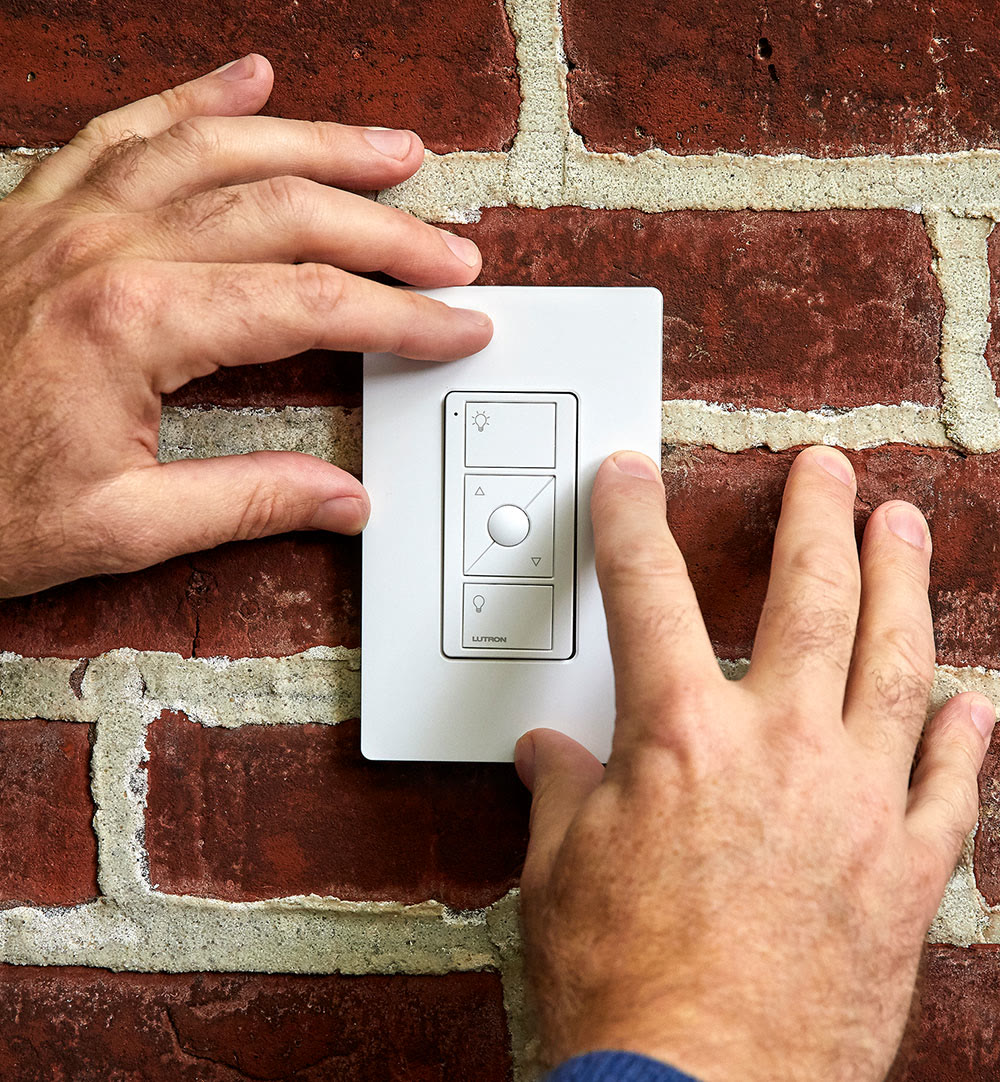
Pico remotes are Caseta's dedicated wall or handheld controls, and they are the single biggest quality-of-life upgrade for shade control. A well-planned Pico layout gives you:
- One-tap raise and lower without opening the app
- Preset positions (25%, 50%, 75%) accessible from a single button
- Group control for multiple shades in one room
- Scene triggers shared with lighting control
The best-designed setups use one Pico per room, mounted near the light switch, rather than one Pico per shade. That keeps the wall clean and matches how people actually use the room. If you are planning multiple rooms, World Wide Shades at (844) 674-2716 can help design the Pico placement alongside the shade order.
Scene design that actually gets used
The most common mistake with smart shades is creating too many scenes — people build a "Morning Bright," "Morning Reading," "Morning Working" trio and then never use them because choosing takes longer than just tapping raise or lower. The best-performing setups use 3–5 scenes total across the whole home:
- Morning: main living areas raise to 100%, bedrooms stay at 30%
- Midday glare control: south- and west-facing shades drop to 40%
- Evening: bedrooms lower to 20% for privacy, main areas stay open
- Movie: living room shades to 0%, lights dim to 20%
- All out: full house closes at bedtime
For south- or west-facing exposures with strong afternoon glare, solar screen fabrics work best because they still let daylight in when partially closed. A scene that drops these shades to 40% at 2:00 p.m. saves furniture from UV damage without darkening the room — a strategy World Wide Shades uses often on Manhattan and Long Island projects.
Troubleshooting Caseta shade issues
Most Caseta shade problems fall into one of three buckets:
- Slow or dropped response — usually a bridge placement issue. Move the bridge to a central location, and make sure it is not tucked inside a metal media cabinet.
- Scene fires but shades don't move — the shade group may have lost pairing after a battery swap. Re-pair through the Caseta app.
- Battery drains within days — often caused by an automation firing more frequently than expected. Check the "Recent activity" log in the app.
If the shade responds inconsistently even after re-pairing, the motor itself may need service. World Wide Shades at (844) 674-2716 can walk you through a diagnostic and, if needed, coordinate warranty service on Serena, Somfy, or Rollease motors. See our smart home motorized shades setup guide for a broader compatibility overview, or order fabric samples at /swatches before committing to a room-wide rollout.
FAQ: Lutron Caseta roller shades
If you want app control, schedules, and scenes, most setups use a hub/bridge for the ecosystem. For simple local control, dedicated remotes can work even without complex automation.
Yes, but you should design schedules efficiently. One to two daily cycles per shade is easy; frequent micro-adjustments can shorten battery runtime.
Solar screen or light-filtering fabrics are usually best for glare reduction while keeping daylight. For strong sun rooms, see best shades south facing windows.
Yes—many homeowners set scenes like “Movie” to dim lights and lower shades together. This is where consistent naming and a few high-impact scenes work better than dozens of routines.
Contact World Wide Shades at contact us or call (844) 674-2716 and we’ll help you plan fabrics, power, and control based on your windows.


